
Content Performance Audit Workbook
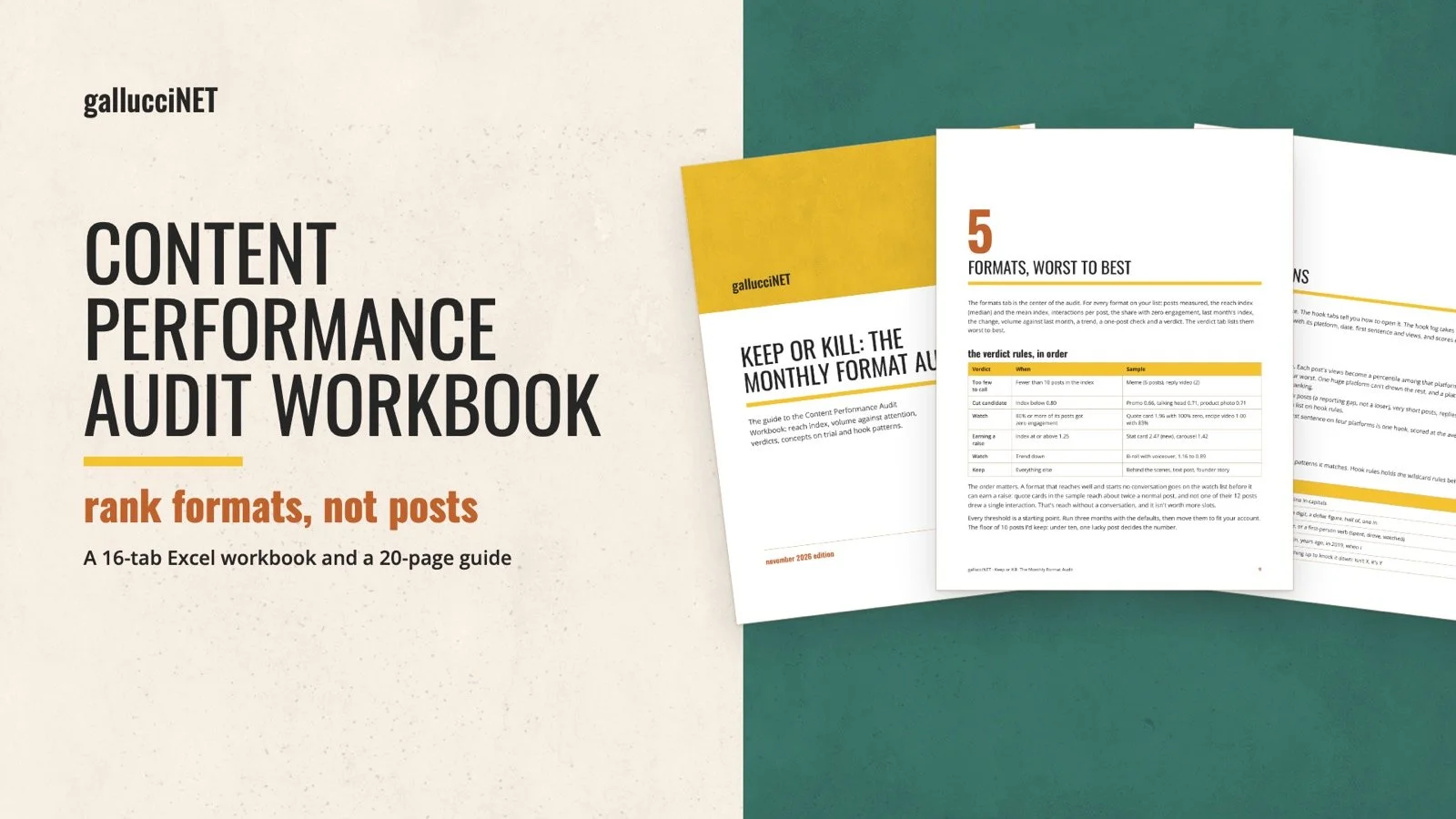
Paste a month of posts from every platform. The workbook scores each post against its own platform, ranks your recurring formats from worst to best, and tells you which to cut, watch, keep or give more slots.
last updated · what has changed
the problem
Most monthly reports rank posts. You learn which post won, and next month you don't make that post again. You make another talking head, another carousel, another recipe video. The decision you actually face is how many slots each recurring format gets, and a post ranking can't answer it.
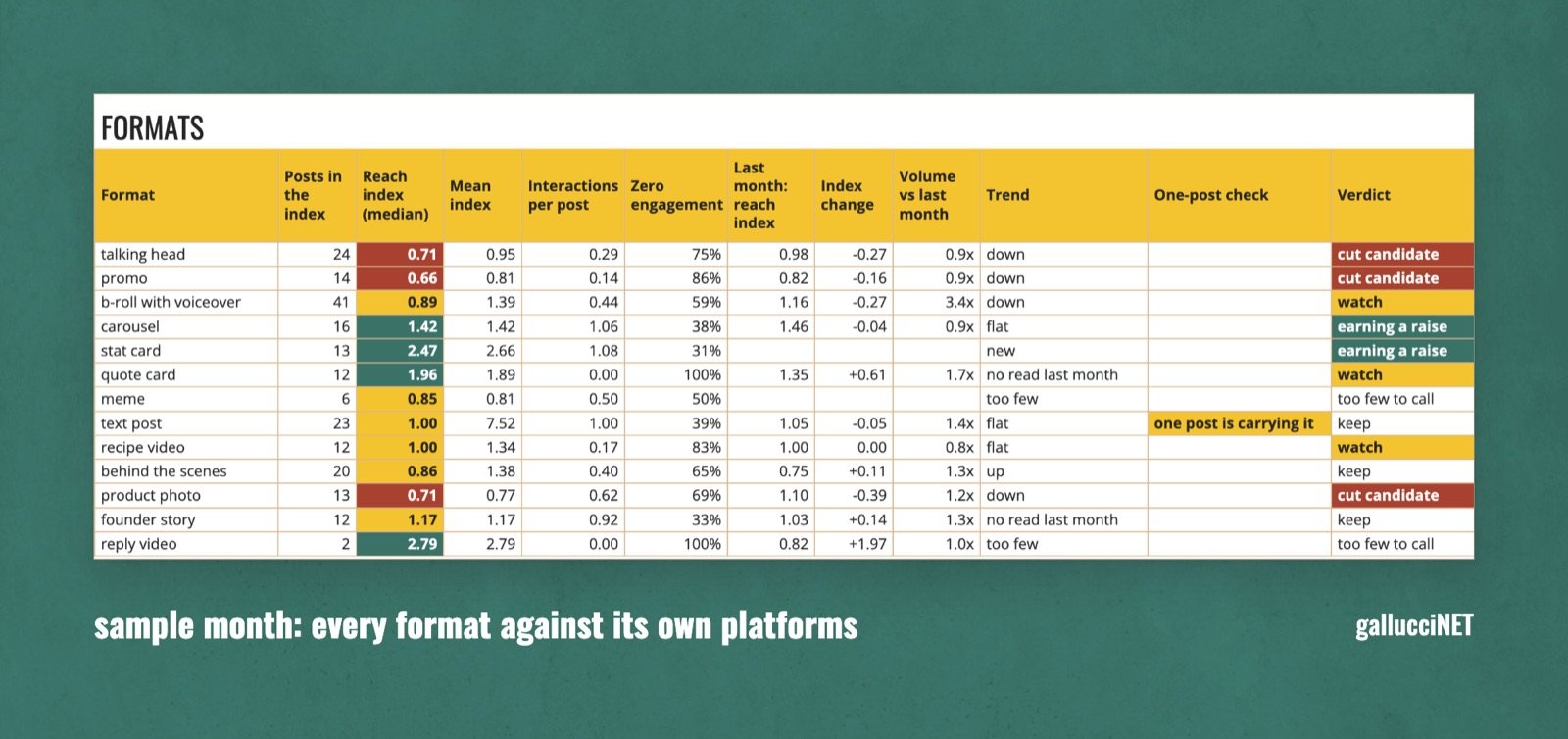
I run this audit on my own accounts every month, across six platforms and more than twenty formats. It divides every post's reach by its own platform's median for the month, so 1.00 is an average post wherever it ran, then takes the median across each format. One month it put the format that cost the most to make at the top of the cut list. A post ranking never would have.
This is that audit as a workbook: the reach index, the zero-engagement rate, last month's index and a trend for every format, a read on whether posting more bought more attention or less, platform health, concepts on trial with verdict dates, a cadence check, the top ten, and an opening-line read on your own posts.
what's inside
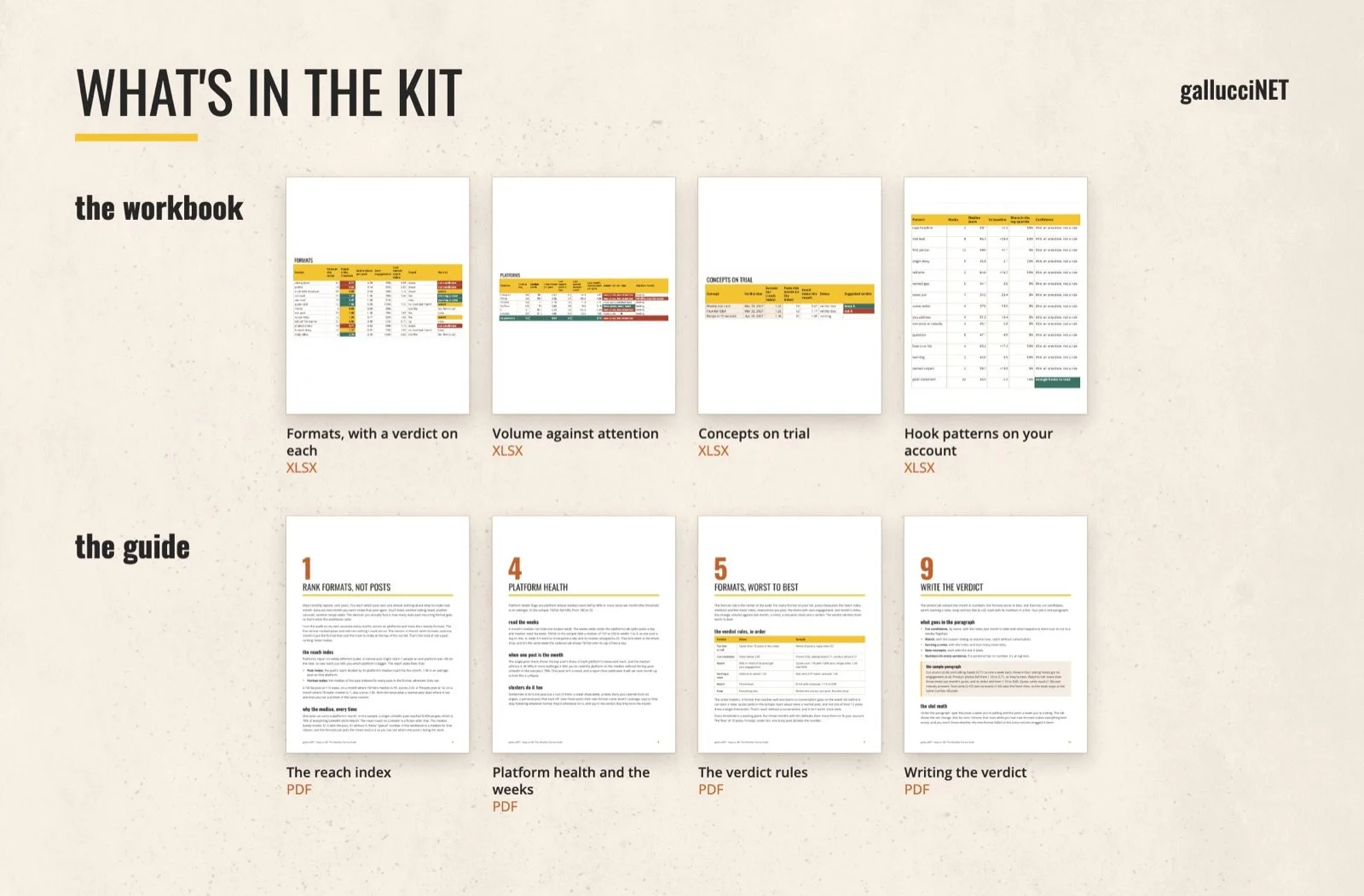
The workbook: 16 tabs: settings, posts and last month (1,000 rows each), platforms (volume against attention, platform health, the single-post check, the weeks), formats (index, mean, zero engagement, trend, verdict, your call), format x platform, top posts, concepts on trial, cadence, verdict, hook log (1,500 rows), hook patterns with a checker for new hooks, hook rules, metric guide (XLSX)
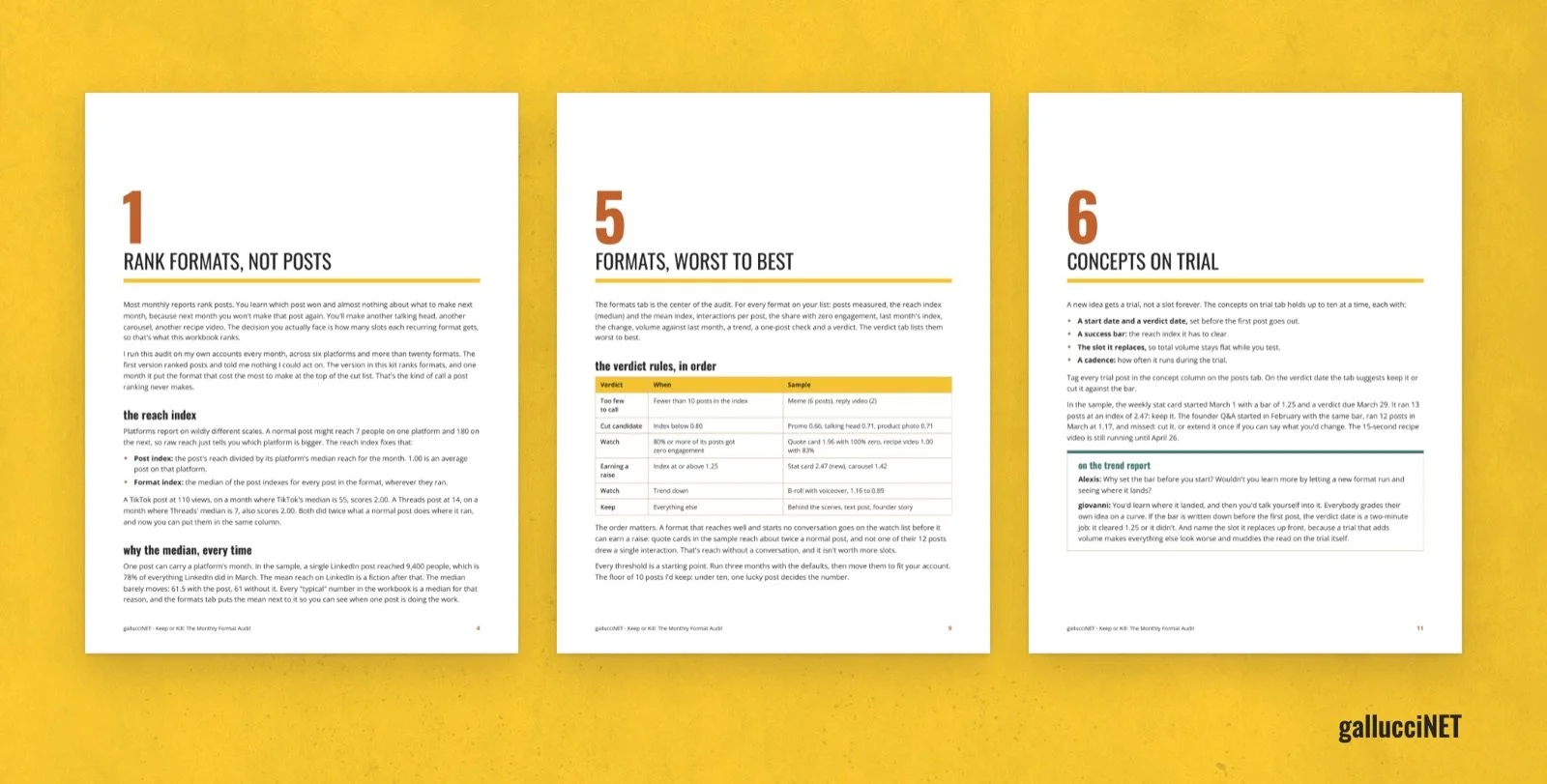
The guide: Keep or Kill: The Monthly Format Audit: the reach index, measuring the right month, volume against attention, platform health, the verdict rules, concepts on trial, cadence, the top ten, writing the verdict, hook patterns, and what the numbers can't tell you (PDF, 20 pages)
The hook miner script: optional: the hook read on a CSV of any size, plus words that lift and drag your scores and a near-duplicate check, with a sample CSV (PY + CSV)
Sample rows: two months of a fictional salsa brand's accounts on six platforms, cleared with one select-and-delete per tab (in the XLSX)
The terms of use: the first file in the download (PDF)
who it's for
Social media managers and content leads running several recurring formats across four or more platforms:
in-house social leads who have to defend next month's calendar with numbers
agency and freelance social managers writing the monthly report for a client
founders who post themselves and want to know which formats to stop making
It runs on the numbers you paste from your scheduler or the platforms' exports. It doesn't connect to any platform, pull data or post anything, and the verdicts are a starting call, not a promise about results.
preview
how it works
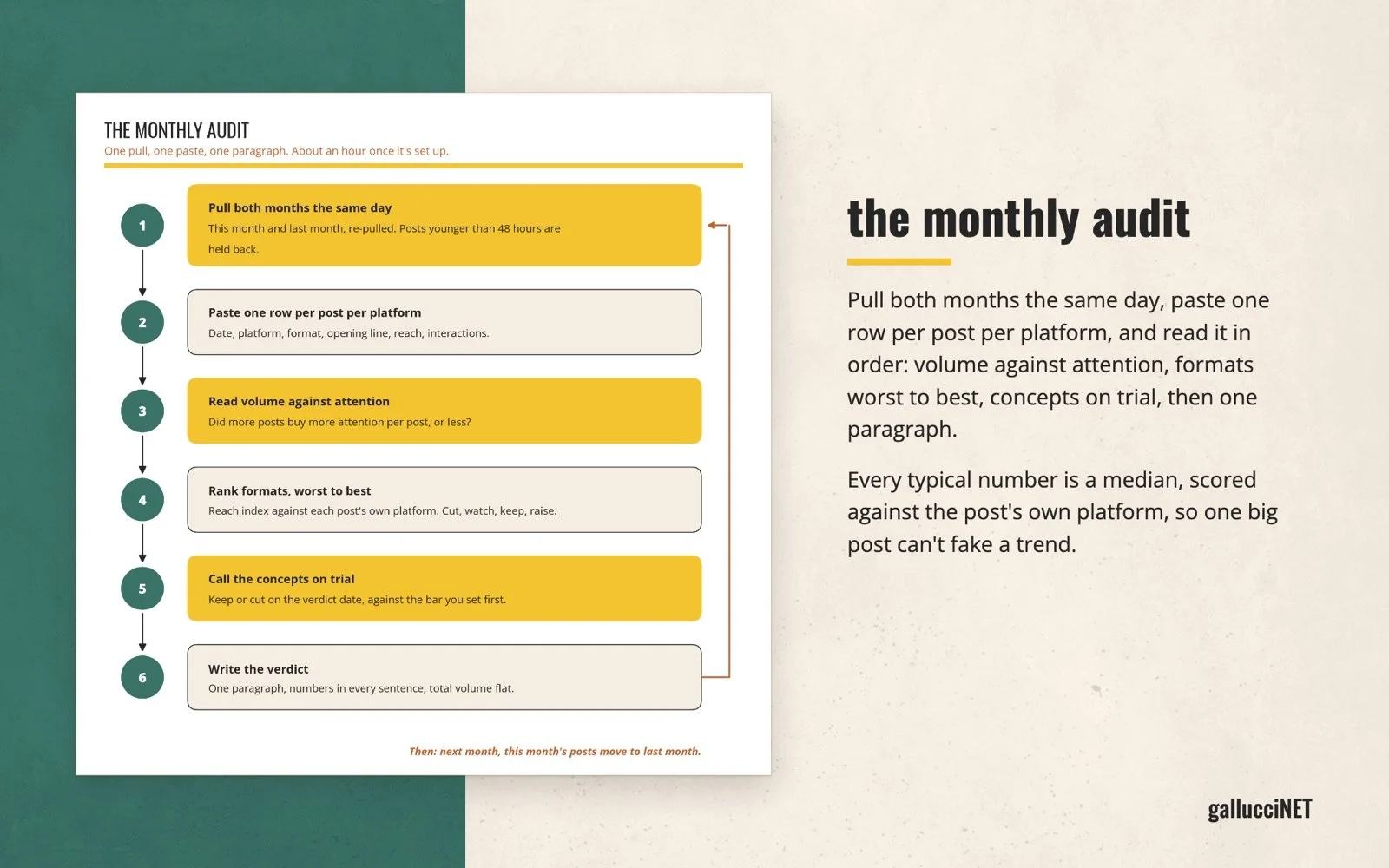
Pull both months the same day. This month and last month, re-pulled. Posts younger than 48 hours at the pull are held back while their reach fills in.
Paste one row per post per platform. Date, platform, format, the opening line, reach and interactions. The white columns do the rest.
Read it in order and write one paragraph. Volume against attention, formats worst to best, concepts due a verdict, cadence. Then the verdict, with the slot math so total volume stays flat.
where the method comes from
This comes from the monthly content audit I run on my own accounts, and from the script I use to rank my own opening lines. The method is mine: the reach index, the 48-hour lag rule, re-pulling last month every time, the 10-post floor for a verdict, the single-post check, the 15-hook trust line for a pattern. My accounts, numbers, posts and format names aren't in it.
What changed on the way: every threshold is a setting, not a number inside a formula, the medians work without array formulas so the sheet runs in Excel and Google Sheets, and the opening-line patterns became wildcard rules you can edit.
formats and delivery
1 Excel workbook (.xlsx) with tinted input cells, locked formulas and sample rows you can clear; built for Excel 2019 or later and Microsoft 365, and it imports into Google Sheets
The guide as a 20-page PDF
The optional hook miner (a Python script, standard library only) and a sample CSV
One zip, delivered by download link as soon as payment clears
Fonts: Oswald and Open Sans, both free from Google Fonts
get the kit
$19, one time. One license for you or your organization.
All sales are final. Questions first? Email support@gallucci.net before you buy.
questions
Does it pull numbers from my accounts?
No. You paste a month of posts from your scheduler's export or the platforms' own exports: one row per post per platform with date, platform, format, opening line, reach and interactions. It doesn't connect to anything.
Which platforms does it handle?
Any eight you name on the settings tab. Each post is compared with its own platform's median, so it doesn't matter that one platform reports reach and another reports views or impressions, as long as each platform uses the same field every month.
How many posts does it need?
A format needs 10 posts in the month before it gets a verdict (you can change that). Posts and last month hold 1,000 rows each, the hook log 1,500.
Do I need the Python script?
No. The hook read runs inside the workbook. The script is there for exports bigger than the sheet, and it adds word lift and a near-duplicate check. It reads a CSV and writes one file; it doesn't connect to anything.
Is there a Notion or Canva version?
No. The audit is medians and ranks across hundreds of rows, which a spreadsheet does and Notion can't, and there's no layout to design in Canva.
Can I get a refund?
No. All sales are final, because a digital file can't be returned once it's delivered. If a file arrives corrupted or won't open, email support@gallucci.net within 30 days and I'll send a working copy. If you're not sure this fits your brand, email support@gallucci.net before you buy and ask.
Do I get updates?
No. You get the edition you buy, and nothing on this page promises updates. If a new edition comes out, it's sold as its own product.
Can I use it for clients?
Yes. One purchase is one license for you or your organization. An agency or freelancer can use it on any number of client accounts; the client gets the finished work, not the product files. A client that wants its own team using the files needs its own copy.
Does it guarantee results?
No. Every number in it is a planning figure with a date and a source, there to show the method. What you get out of it depends on your product, your market and how you run it.
what has changed
every change to this product, newest first. the download you buy today is the current version.
November 28, 2026: First released.
terms
Buying or using this product means you accept the gallucciNET terms of use: gallucci.net/terms. A copy (READ_ME_FIRST_terms_of_use.pdf) is the first file in the download.
about giovanni
giovanni gallucci runs gallucciNET out of Marfa and Dallas. He's spent twenty years on social, content and launches for food and beverage brands.
He hosts The Daily Trend Report, a morning podcast on food and beverage, content, social and AI (show notes at gallucci.net/podcasts), and wrote A Social Media Marketing Framework for Food and Beverage CPG Brands (2nd Edition) and Viral and Broke: A Field Guide to Social Media for Food and Beverage Brands. More at gallucci.net.

adage, emmy, telly & webby award-winning digital marketing consultant for purpose-driven food & beverage brands.