
gallucciNET Social Color Pack: 12 LUTs for Food, Drink and Lifestyle Content
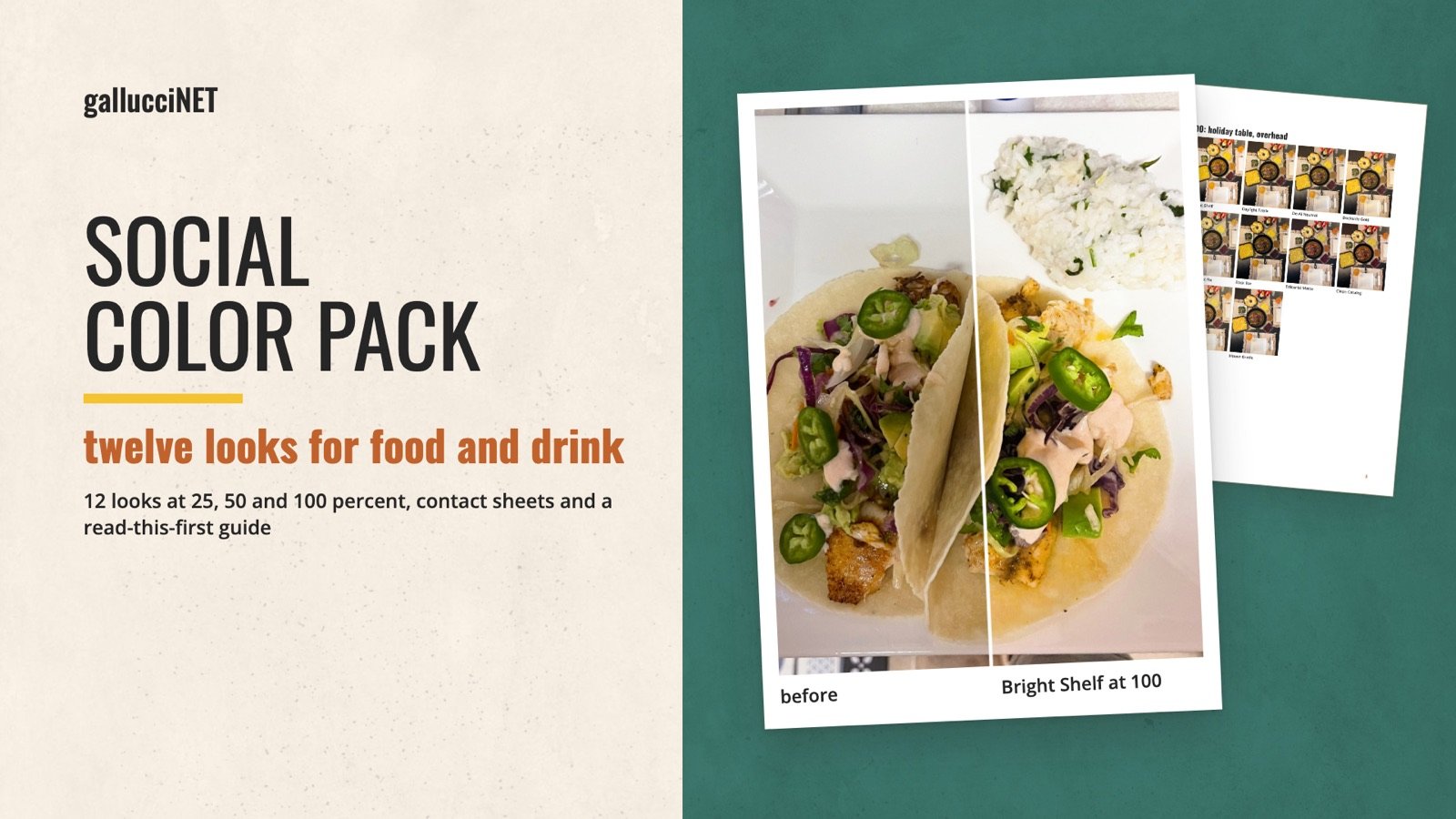
Twelve looks with a job each, at 25, 50 and 100 percent, plus contact sheets so you can pick one before you open a file.
last updated · what has changed
the problem
Most LUT packs are fifty film names and no instructions. You load one, the photo turns orange, you drag the opacity to 30 percent and ask yourself what you paid for.
Food and drink are hard on a LUT. A look built for skin and sky turns a red sauce magenta, crushes a dark bar to mud, or blows out a white plate. And a feed graded with a different look every week reads like six accounts.
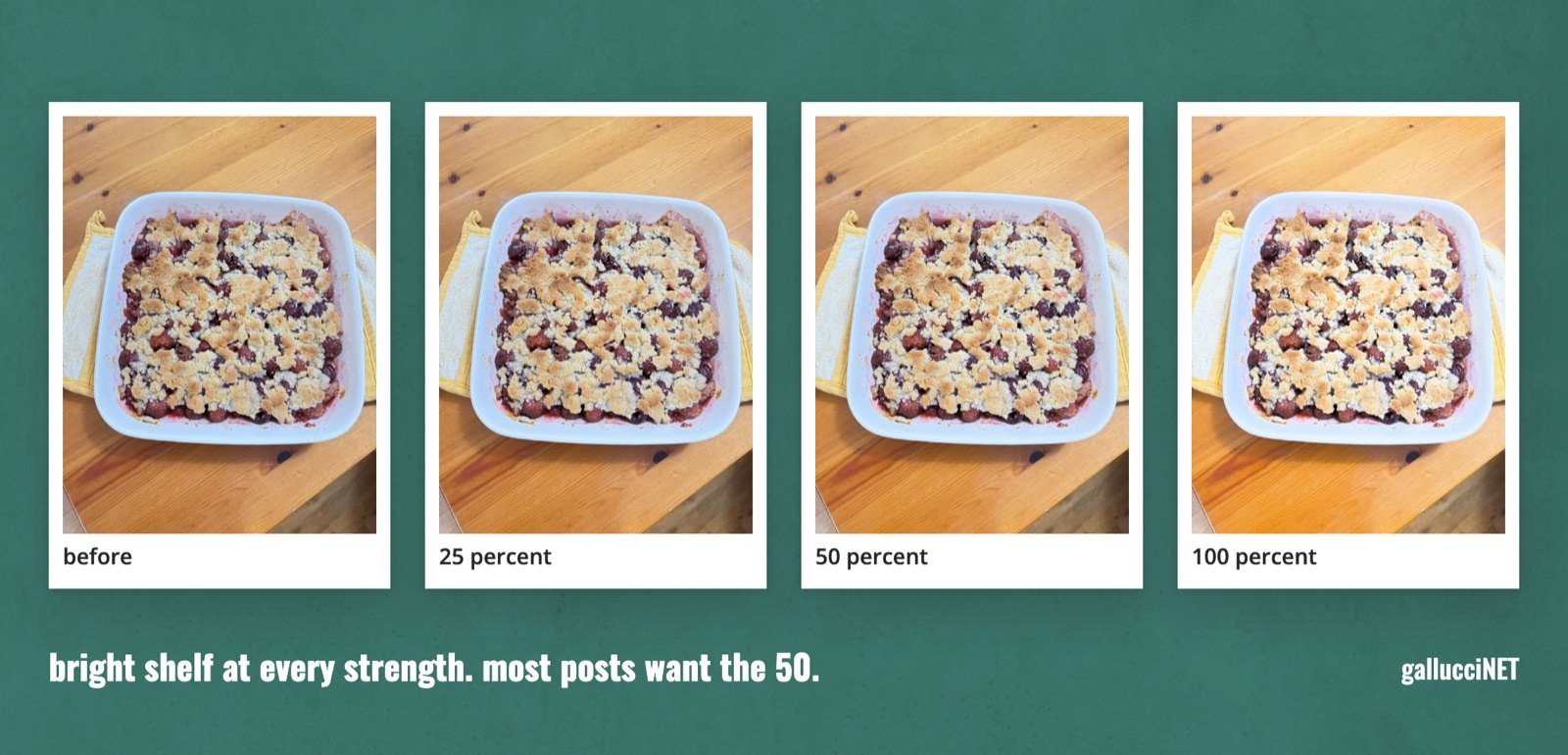
So this pack is short. Twelve looks, each built for a kind of light you actually shoot food and drink in, each shipped at three strengths because the full-strength file is rarely the one you want.
what's inside
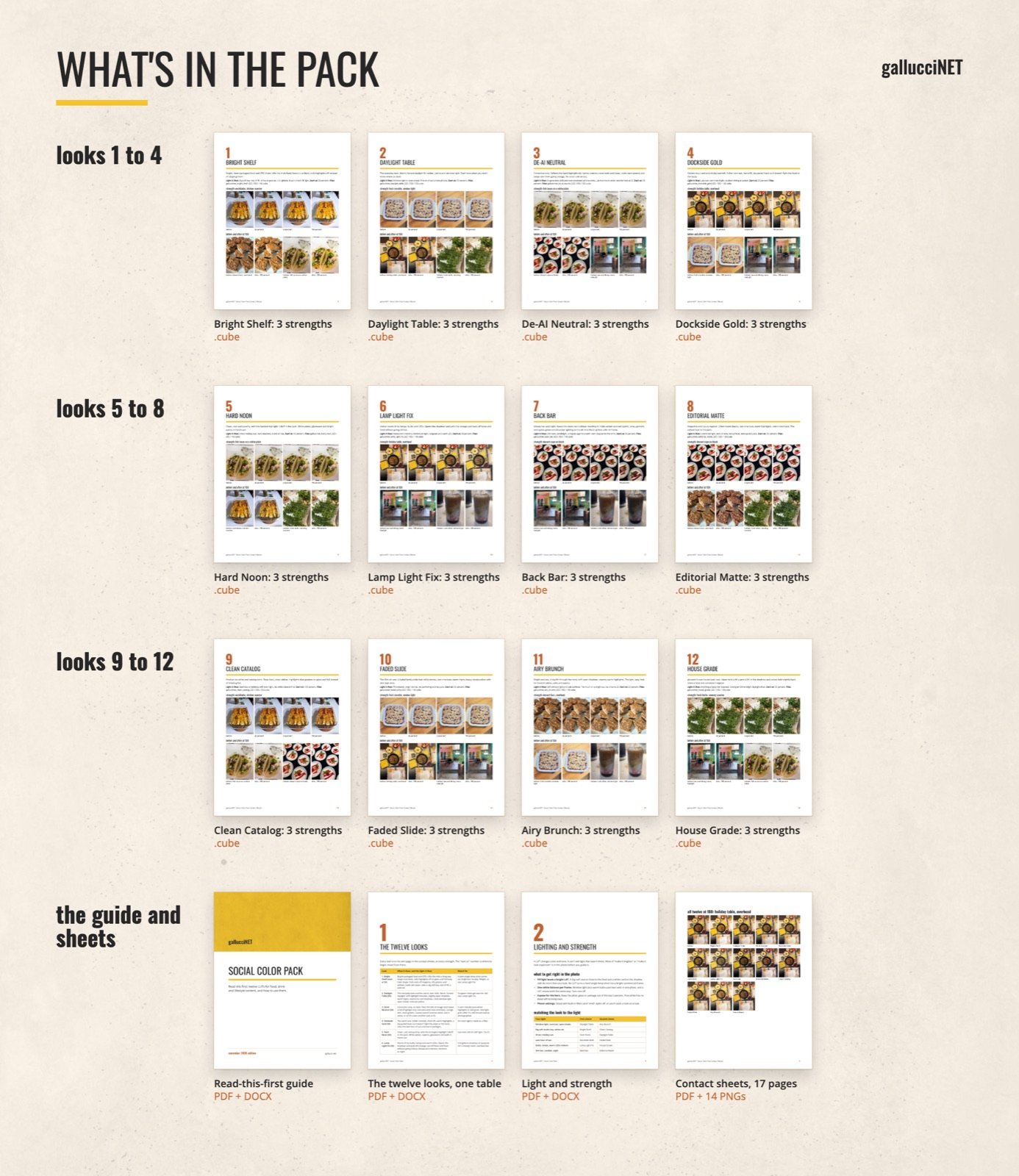
36 .cube files: twelve looks at 25, 50 and 100 percent, 33-point, sRGB and Rec.709 in and out, one folder per look (.cube)
The read-this-first guide: what each look does and the light it likes, what to fix in the photo before you grade, a light-to-look table, strength and stacking rules, and install steps for Photoshop, Lightroom, Premiere Pro, DaVinci Resolve, Final Cut Pro, CapCut and phone apps (PDF + Word)
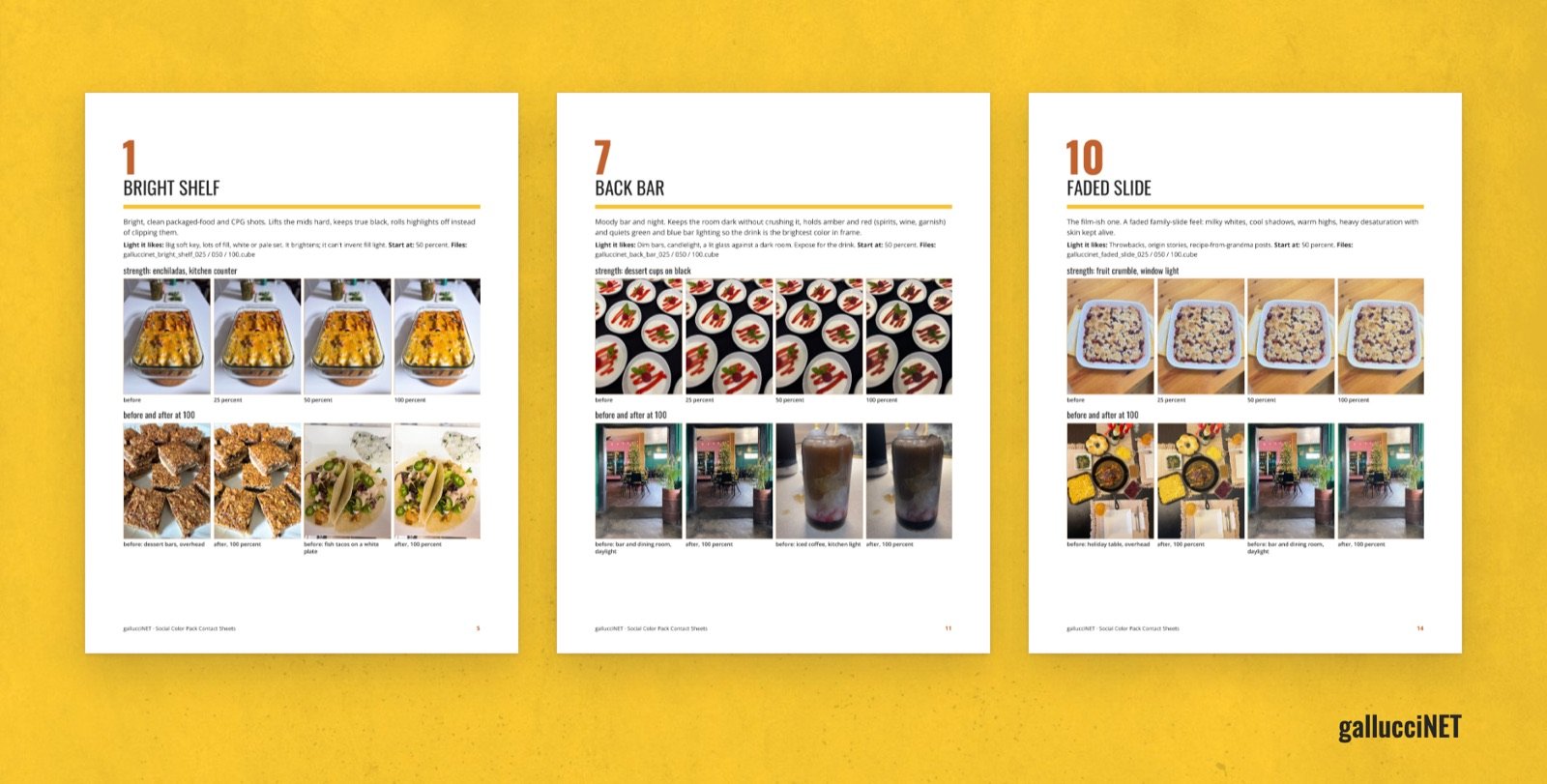
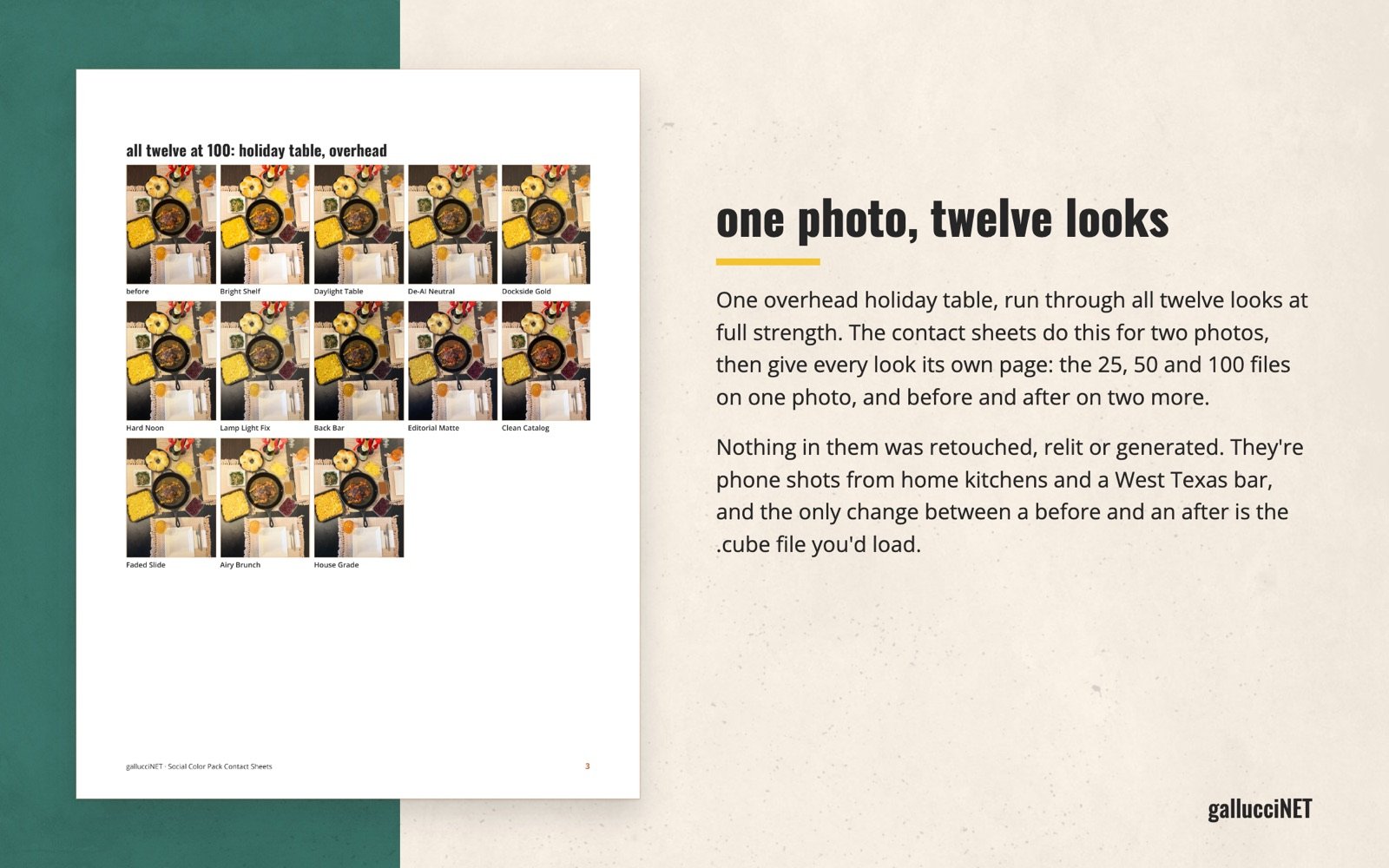
The contact sheets: 17 pages: two overview pages with one photo through all twelve looks, then a page per look with the strength strip and two more before and afters (PDF, plus a PNG per page)
The terms of use: the first file in the download (PDF)
who it's for
Anyone grading food and drink for a feed:
social media managers and creators who shoot on a phone
brand teams who want one look across every post
photographers and editors grading menu, product and lifestyle shots
anyone cleaning up AI-generated food stills (that's what De-AI Neutral is for)
It won't convert log footage. If you shoot S-Log, V-Log, C-Log, LogC, Apple Log or D-Log, convert to Rec.709 first and put these on top; the guide says how.
preview
how it works
Pick from the contact sheets. The overview pages show one photo through all twelve looks. The light-to-look table in the guide narrows it to two.
Fix the photo, then load the 50 file. Exposure and white balance first, the LUT second, grain and sharpening last. Go to 100 when the source is flat and 25 when it's already close.
Use the same look and strength across the feed. One look on every post is what makes a grid read as one account. The install section covers each editor, and Lightroom gets it as a profile.
where the method comes from
Eleven of the twelve looks are grades I built as code and used on real food, beverage and lifestyle work: a bright packaged-food look, warm daylight, golden hour, harsh noon, lamp-lit interiors, a matte editorial grade, a faded film feel, an airy brunch look, a product-on-white look, a correction for AI stills and my own house grade. They've been renamed for the pack, the client names are gone from every file and header, and they were rebuilt at one size.
Back Bar is the one new look. Nothing I had kept a bar dark while holding the amber in the glass, so I wrote it for this pack. No vendor LUT was copied, sampled or shipped.
Every file was parsed back after export and applied to nine test photos: each one changes the image, the 25, 50 and 100 files step up in order, and the gray ramp stays smooth.
formats and delivery
36 .cube files (3D LUT, 33-point), one folder per look
The guide as PDF and Word (.docx); the contact sheets as a PDF and 14 PNGs
Works in Photoshop, Lightroom (as a profile), Premiere Pro, DaVinci Resolve, Final Cut Pro, CapCut desktop, Affinity Photo, ffmpeg and any app that imports a .cube
One zip, delivered by download link as soon as payment clears
get the kit
$19, one time. One license for you or your organization.
All sales are final. Questions first? Email support@gallucci.net before you buy.
questions
Which strength should I use?
Start at 50. The 100 file is a deliberate look for flat sources or posts where the look is the point; the 25 file is for photos that are already close. In Photoshop, Premiere and Resolve you can also dial any strength in between from one file.
Does it work on my phone?
In editing apps that offer "import LUT" or "custom LUT", yes. Many filter apps only use their own presets and won't import a .cube. For those, save the look as a Lightroom profile on desktop and it syncs to Lightroom on your phone. The guide walks through it.
Will it work on video?
Yes, on standard Rec.709 footage in Premiere, Resolve, Final Cut and CapCut. Log footage needs converting to Rec.709 first.
Can I use it for clients?
Yes. Grade photos and video for your own business and for any number of client accounts, including paid ads, and hand over the graded work. The .cube files stay with you: a client that wants to grade with them itself needs its own copy. You can't resell or share the files, or turn them into presets or filters for anyone else (terms of use, sections 2.5 and 4.2).
Does it guarantee results?
No. How a look lands depends on your camera, light, exposure, white balance and software, which is why every look comes at three strengths and the contact sheets show it on real photos first. Test it on your own footage before a client sees it.
Can I get a refund?
No. All sales are final, because a digital file can't be returned once it's delivered. If a file arrives corrupted or won't open, email support@gallucci.net within 30 days and I'll send a working copy. If you're not sure this fits your brand, email support@gallucci.net before you buy and ask.
Do I get updates?
No. You get the edition you buy, and nothing on this page promises updates. If a new edition comes out, it's sold as its own product.
what has changed
every change to this product, newest first. the download you buy today is the current version.
November 25, 2026: First released.
terms
Buying or using this product means you accept the gallucciNET terms of use: gallucci.net/terms. A copy (READ_ME_FIRST_terms_of_use.pdf) is the first file in the download.
about giovanni
giovanni gallucci runs gallucciNET out of Marfa and Dallas. He's spent twenty years on social, content and launches for food and beverage brands, and graded most of what he shot along the way.
He hosts The Daily Trend Report, a morning podcast on food and beverage, content, social and AI (show notes at gallucci.net/podcasts), and wrote A Social Media Marketing Framework for Food and Beverage CPG Brands (2nd Edition) and Viral and Broke: A Field Guide to Social Media for Food and Beverage Brands. More at gallucci.net.
adage, emmy, telly & webby award-winning digital marketing consultant for purpose-driven food & beverage brands.