
Integrated 12-Month F&B Marketing Calendar
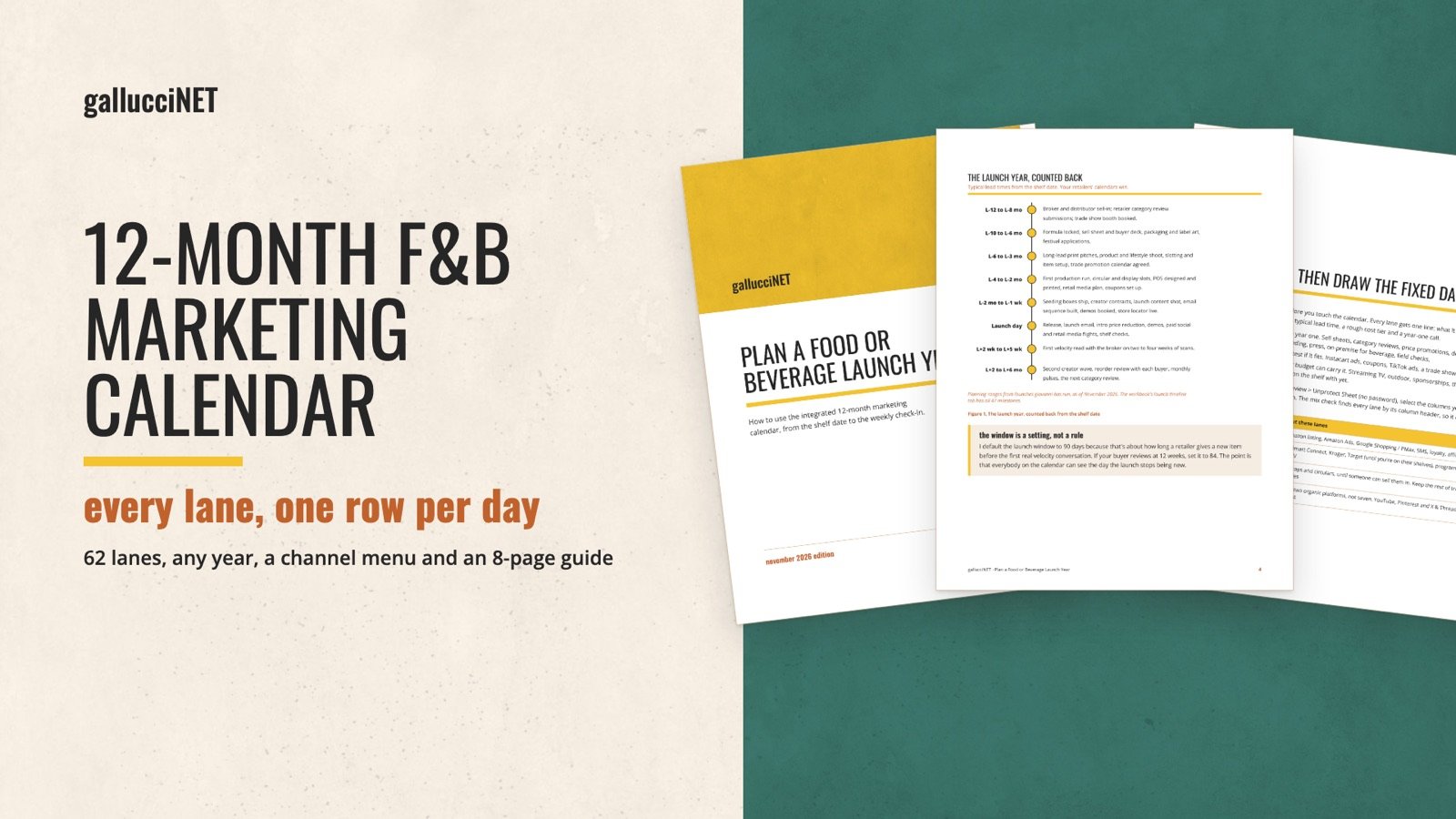
Trade, in-store, retail media, social, creators, paid, PR, events and outdoor on one sheet, one row per day, so the demo weekend and the press release land in the same week on purpose.
last updated · what has changed
the problem
Most marketing calendars are a social post grid with a holidays column. That works until the brand has a broker, a PR agency, a creator program and a retail media budget, each with its own spreadsheet. Then the demo weekend lands the week after the circular, the press release goes out before the product is on the shelf, and nobody notices until the monthly report.
The fix is boring and it works: every lane on one sheet, one row per day, with an owner on every band, so every agency reads the same year. I call it marketing on steroids, because it has every lane I've seen a food or beverage launch use. You won't run them all. Nobody should.
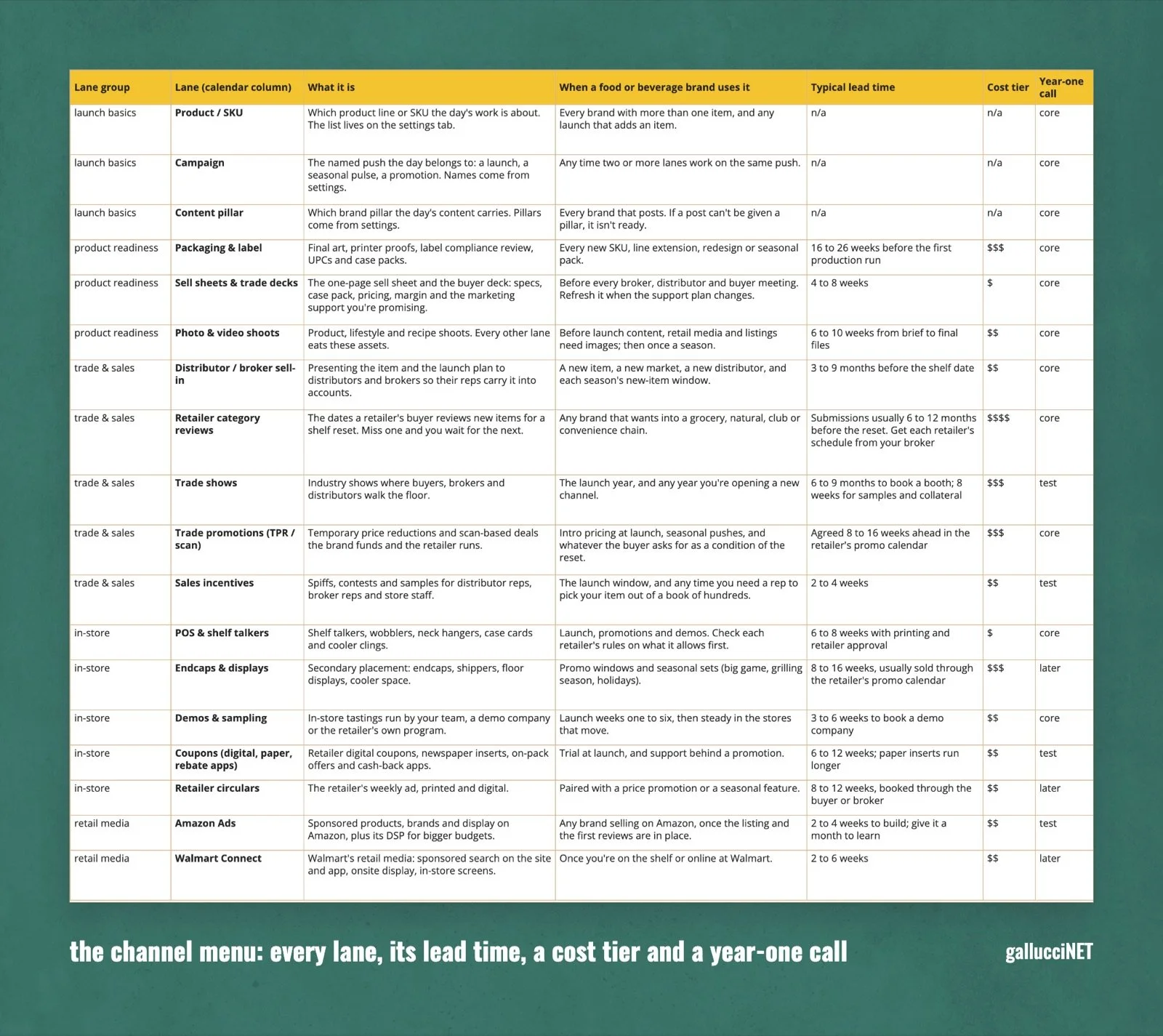
So the calendar comes with a channel menu that tells you what each lane is, when a food or beverage brand uses it, its typical lead time, a rough cost tier and whether it's a year-one call. You cut it down to what you'll actually run, in an afternoon, and know why you cut the rest.
what's inside
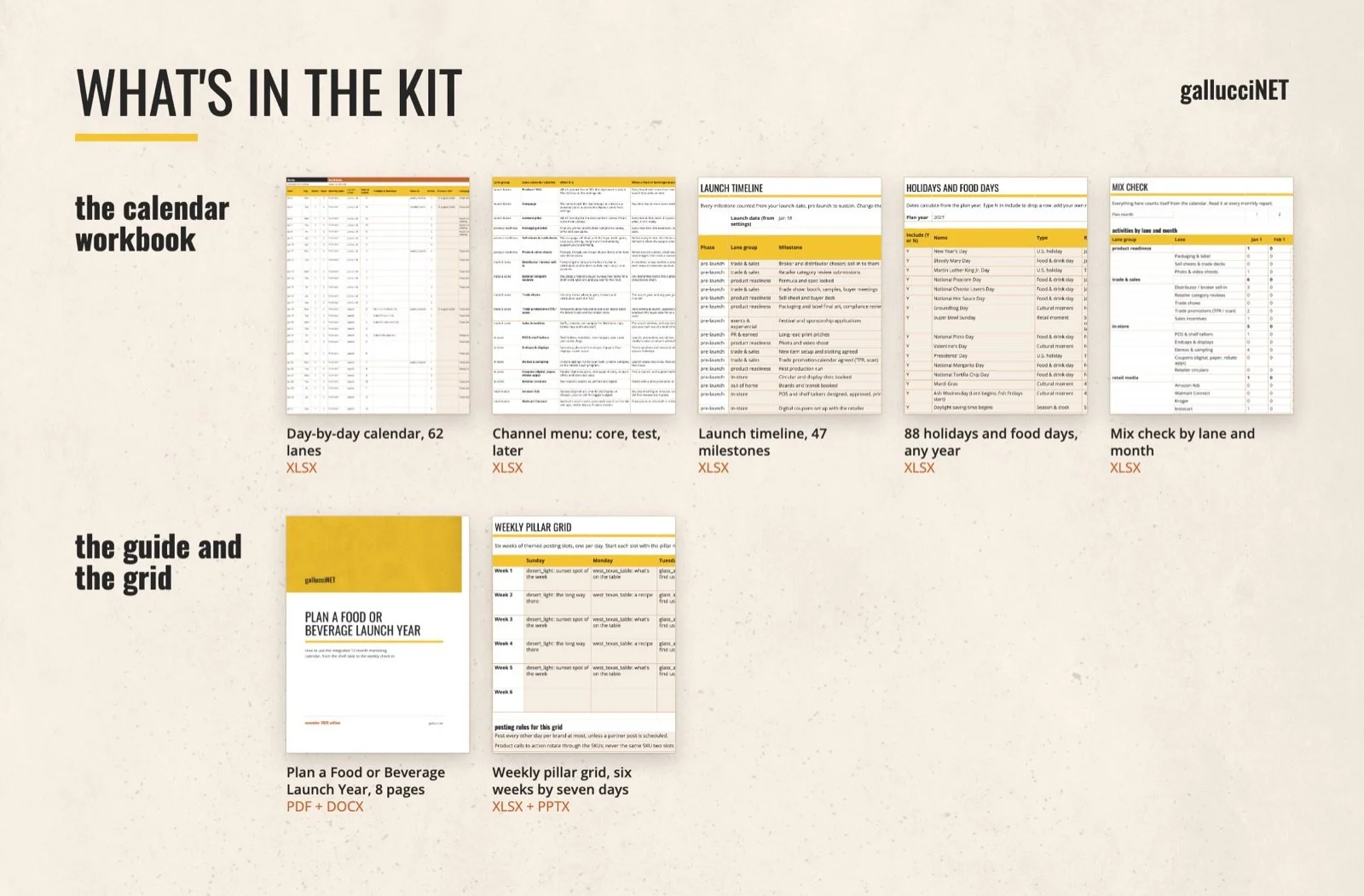
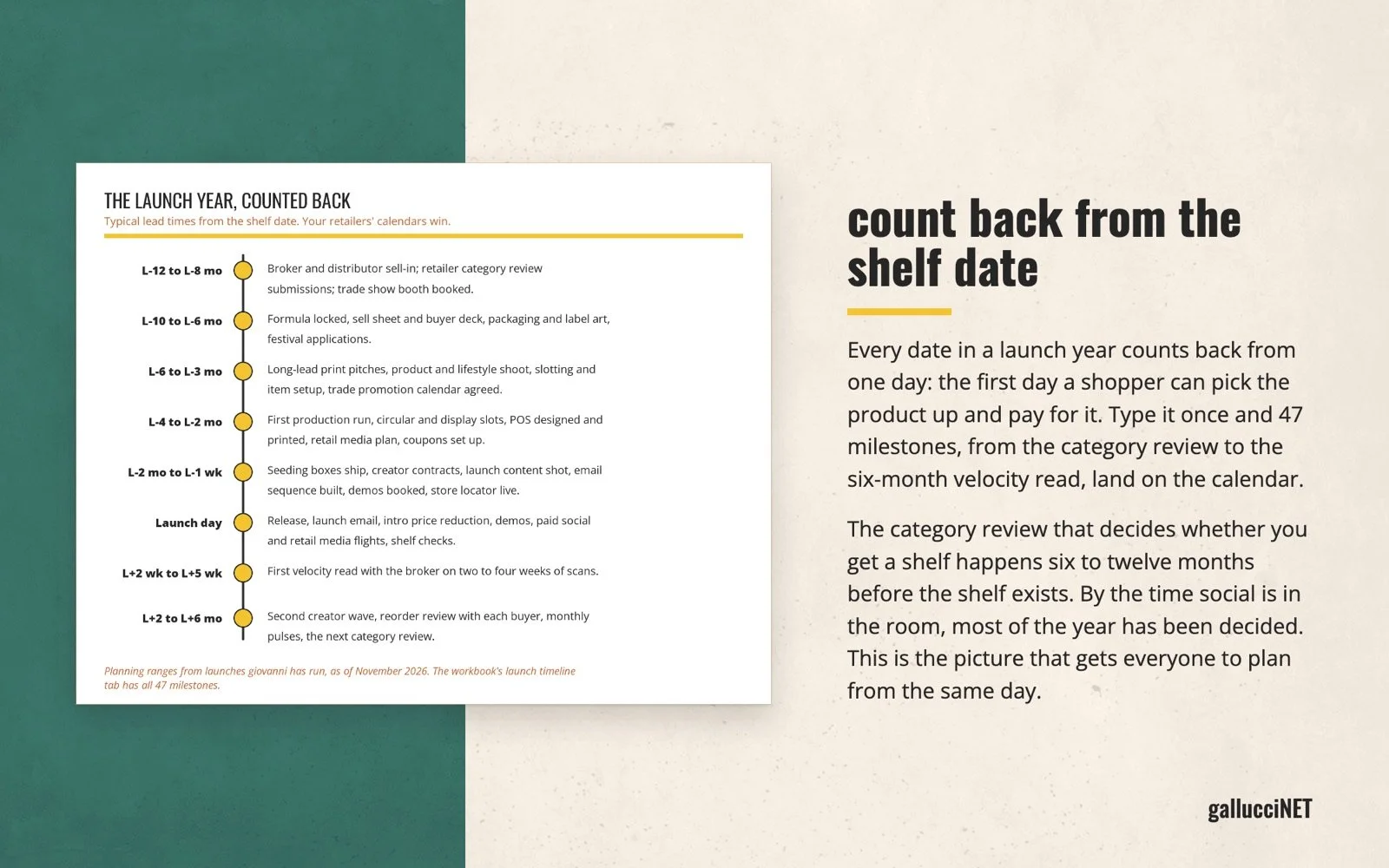
The calendar workbook: settings, a 366-row day-by-day calendar with 62 lanes in colored bands, a launch timeline of 47 milestones, a weekly pillar grid, an email calendar, 88 holidays and food days computed for any year, a mix check, a channel menu and resources (XLSX)
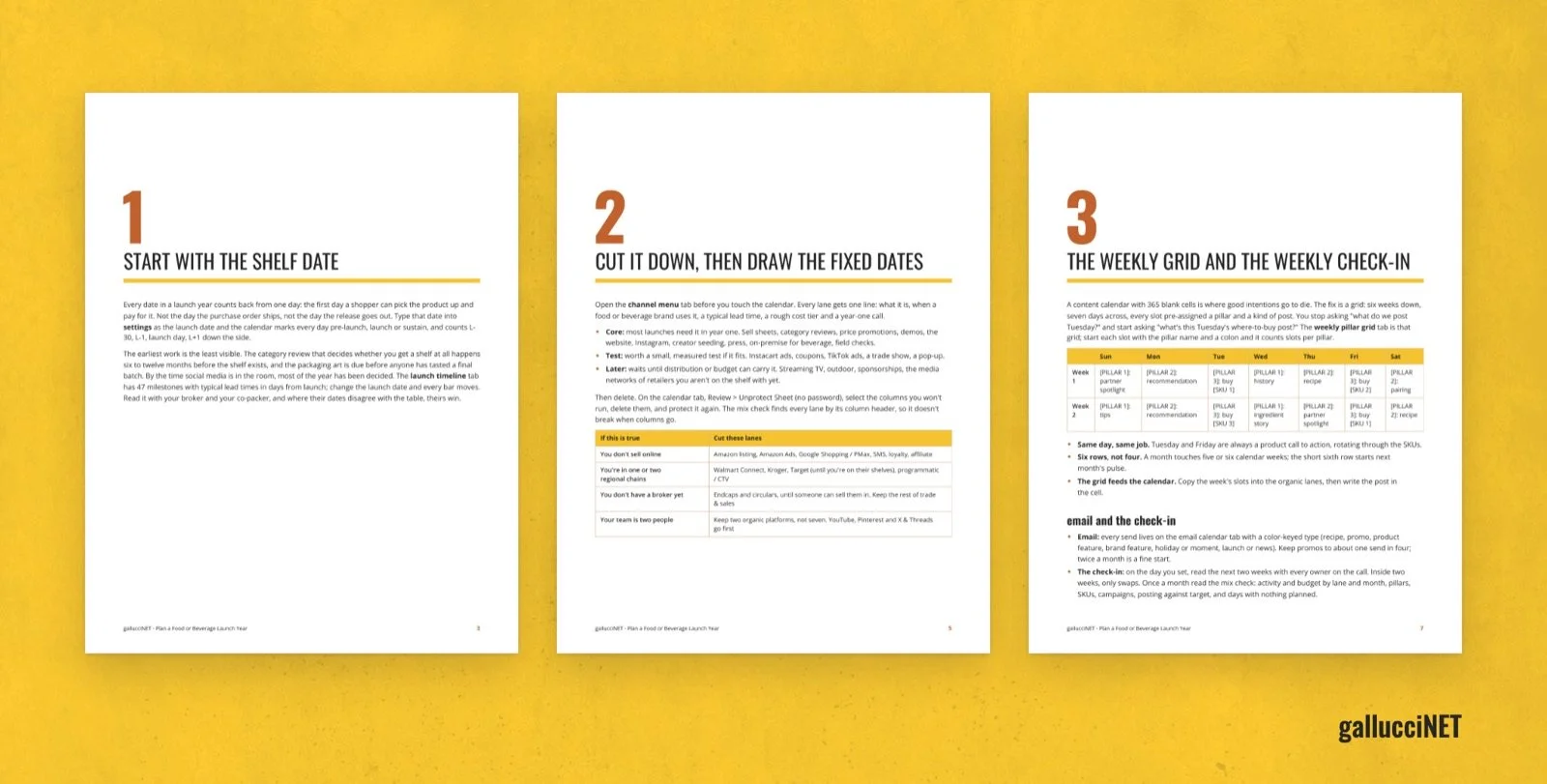
Plan a Food or Beverage Launch Year: an 8-page guide: start with the shelf date, cut the lanes, draw the fixed dates, then the weekly grid and the weekly check-in (PDF + Word)
The weekly pillar grid: six weeks by seven days of themed posting slots with tokens, plus a worked example (PowerPoint)
A worked example: a January shelf launch for Agua Picante, a fictional beverage brand, every sample row marked so it's easy to clear (in the workbook)
The Canva version: two Canva templates you copy into your own Canva account: the weekly pillar grid as a 16:9 deck (the template and a worked example), and a 2027 content calendar, twelve US Letter landscape month pages to plan on and print. A free Canva account works. Your template links are on the access page in the zip (Canva + PDF)
The Notion version: The same system, set up as a Notion template you copy into your own workspace with one click. A calendar database with every channel lane, a linked campaigns database, and the channel menu, monthly pulses and weekly check-in as pages. The holiday math, the mix check and the launch timeline stay in the workbook. Your duplicate link is on the access page in the zip (Notion + PDF)
The terms of use: the first file in the download (PDF)
who it's for
In-house marketers at food and beverage brands who coordinate a broker, an agency or three and a launch date. It also fits:
small CPG teams planning their first retail year
founders who are the marketing department
freelancers and consultants who run the calendar for a brand
If all you need is a posting schedule for one Instagram account, this is more than you need. The weekly pillar grid tab on its own would do.
preview
how it works
Set the year and the shelf date. Type the plan year, the first month and the launch date on the settings tab. Every date, day name, holiday, launch phase and countdown fills itself in, leap years included.
Cut it down. Read the channel menu, then delete the lanes you won't run this year. The mix check finds every lane by its header, so deleting columns doesn't break it.
Run it every week. Draw the fixed dates first, plan at least 45 days out, and read the next two weeks with every owner on the call. Once a month, read the mix check for the gaps.
where the method comes from
The structure comes from calendars I've built and run for food and beverage brands: the posting calendars, the email calendars and the launch plans, merged into one sheet. The client names, campaigns, products and agency names are gone. The lanes, the order of work and the planning ranges are what's left.
Lead times and cost tiers are November 2026 planning ranges, not quotes, and the workbook says so on every tab that uses them. Food and drink days are unofficial and lists disagree, so the holidays tab tells you to check any one you build a campaign on.
formats and delivery
1 Excel workbook (.xlsx) with tinted input cells, locked formulas (no password) and sample rows you can clear
1 guide as PDF and an editable Word file (.docx)
1 PowerPoint deck (.pptx) with the weekly pillar grid
2 Canva templates you copy into your own Canva account from the template links on the access page in the zip (a free Canva account works)
A Notion template you copy into your own workspace from the duplicate link on the access page in the zip (a free Notion account works)
One zip, delivered by download link as soon as payment clears
Fonts: Oswald and Open Sans, both free from Google Fonts
get the kit
$39, one time. One license for you or your organization.
All sales are final. Questions first? Email support@gallucci.net before you buy.
questions
Do I have to use all 62 lanes?
No, and you shouldn't. The channel menu marks each lane core, test or later for year one. A two-person food brand might keep eight; a national beverage launch might keep forty. Delete or hide the rest.
Does it work for a year that doesn't start in January?
Yes. Set the first month of the plan on the settings tab (7 for July to June) and every date and holiday recalculates, including the floating ones like Thanksgiving, Memorial Day and Easter.
Is it only for launches?
No. Without a launch date the phase and countdown columns stay blank and everything else works as a normal year-long calendar for a brand already on the shelf.
What software do I need?
Excel works best. Google Sheets opens it too (no Sheets-only or array formulas are used). The guide opens in any PDF reader or in Word or Google Docs, and the deck in PowerPoint, Keynote or Google Slides.
Can I get a refund?
No. All sales are final, because a digital file can't be returned once it's delivered. If a file arrives corrupted or won't open, email support@gallucci.net within 30 days and I'll send a working copy. If you're not sure this fits your brand, email support@gallucci.net before you buy and ask.
Do I get updates?
No. You get the edition you buy, and nothing on this page promises updates. If a new edition comes out, it's sold as its own product.
Can I use it for clients?
Yes. One purchase is one license for you or your organization. An agency or freelancer can use it on any number of client accounts; the client gets the finished work, not the product files. A client that wants its own team using the files needs its own copy.
Does it guarantee results?
No. Every number in it is a planning figure with a date and a source, there to show the method. What you get out of it depends on your product, your market and how you run it.
what has changed
every change to this product, newest first. the download you buy today is the current version.
November 26, 2026: Added Canva templates: the weekly pillar grid deck and a 2027 content calendar.
November 26, 2026: Added a Notion version. The access page with your template link is inside the download.
November 25, 2026: First released.
terms
Buying or using this product means you accept the gallucciNET terms of use: gallucci.net/terms. A copy (READ_ME_FIRST_terms_of_use.pdf) is the first file in the download.
about giovanni
giovanni gallucci runs gallucciNET out of Marfa and Dallas. He's spent twenty years on social, content and launches for food and beverage brands, and he writes everything in this kit from that work.
He hosts The Daily Trend Report, a morning podcast on food and beverage, content, social and AI (show notes at gallucci.net/podcasts), and wrote A Social Media Marketing Framework for Food and Beverage CPG Brands (2nd Edition) and Viral and Broke: A Field Guide to Social Media for Food and Beverage Brands. More at gallucci.net.

adage, emmy, telly & webby award-winning digital marketing consultant for purpose-driven food & beverage brands.