
Multi-Location Product Shoot Planner
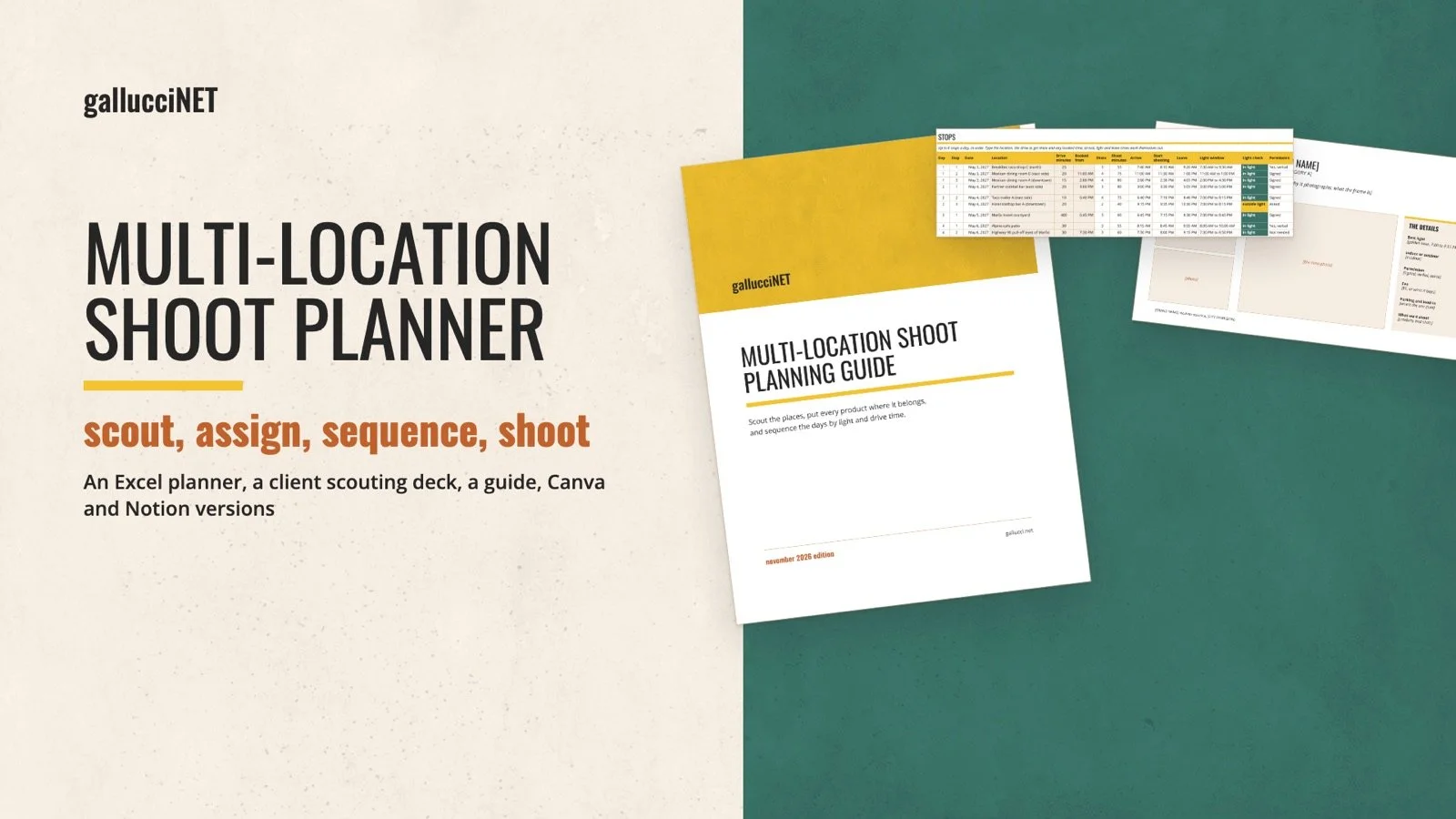
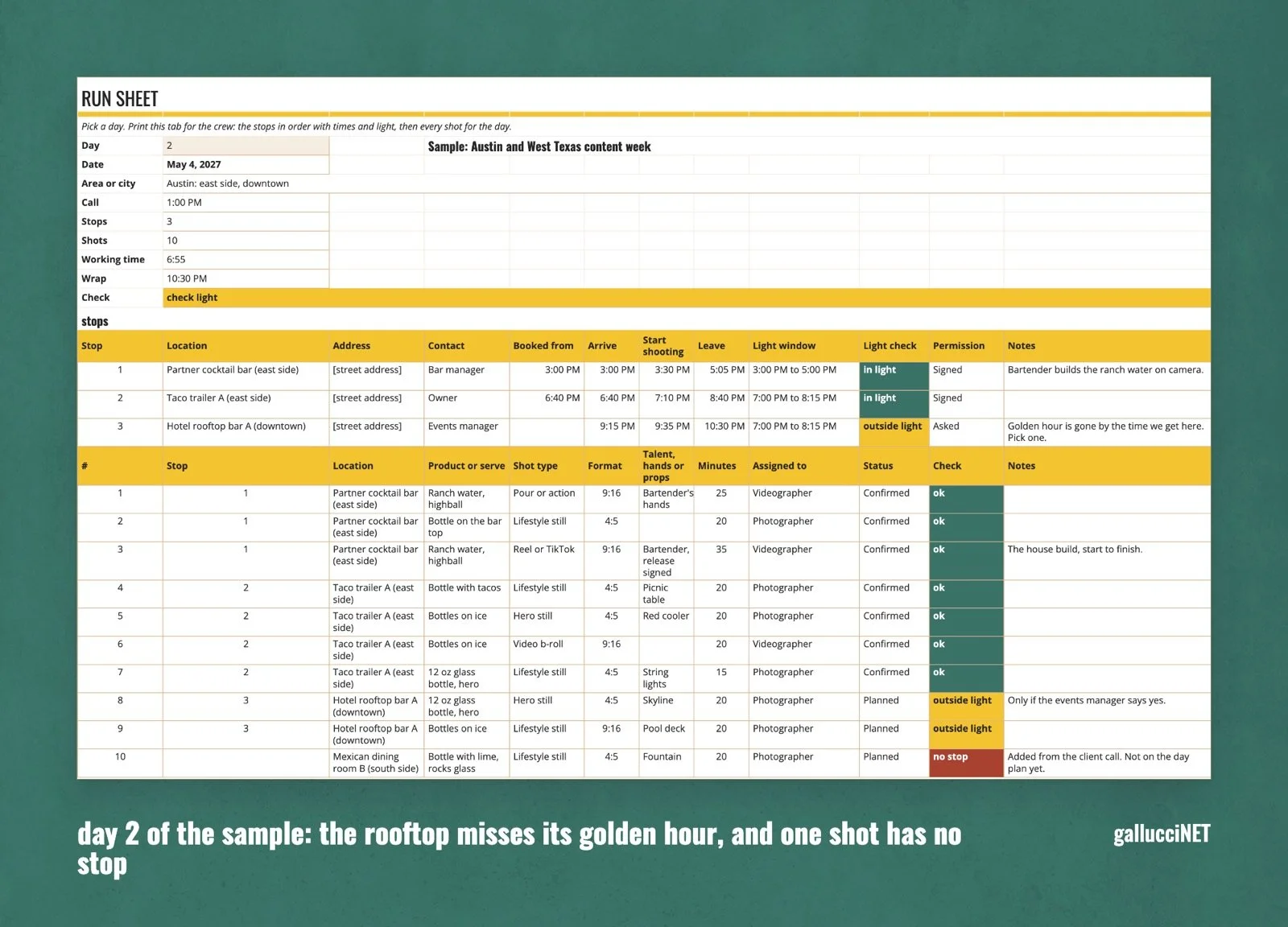
Plan a shoot across many places and many products in one workbook, and find out the rooftop misses its golden hour while you're still at your desk.
last updated · what has changed
the problem
A one-location shoot fits in your head. Four days, sixteen candidate places and seven products don't. Somebody books the taco trailer and the rooftop for the same golden hour, the hero bottle gets shot five times and the cocktail never, and the drive day turns into a fourteen-hour day nobody planned.
Most of that is arithmetic: drive minutes, booked times, minutes per shot, the hour the light is right. It's the kind of arithmetic people skip when the plan lives in a group chat and a map.
This kit does the arithmetic and shows you where the plan breaks, before you're standing in the wrong place at the wrong hour.
what's inside
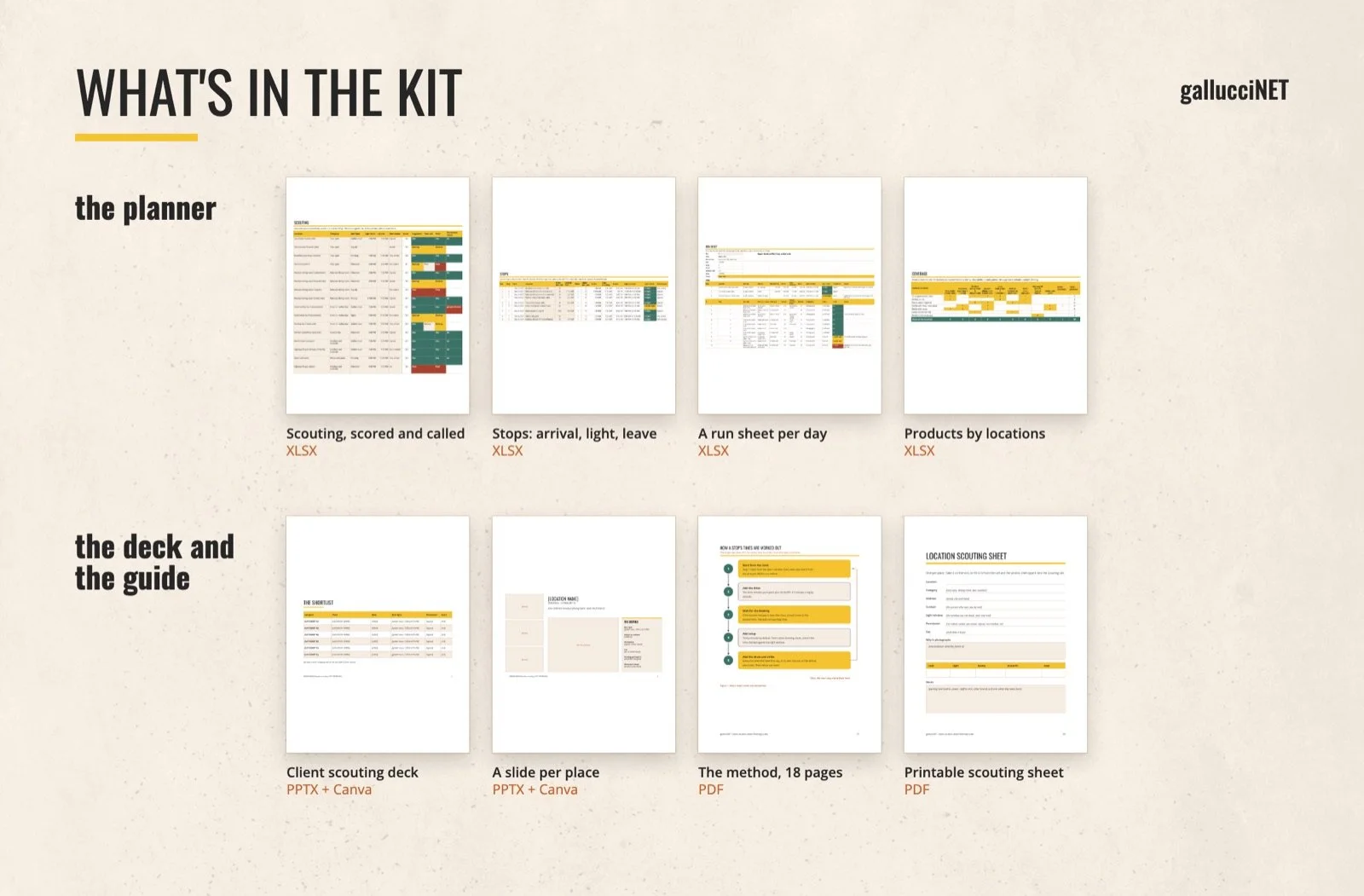
The planner workbook: settings, scouting with five weighted scores, products with shot targets and units to bring, the shot list, days and stops (arrival, light and leave times worked out), a printable run sheet, products by locations, locations by days, and the planning rules (XLSX)
The location scouting deck: 13 slides to send a client the shortlist: cover, shortlist, a section per category, two place-slide layouts, the plan by day and what you need from them (PPTX)
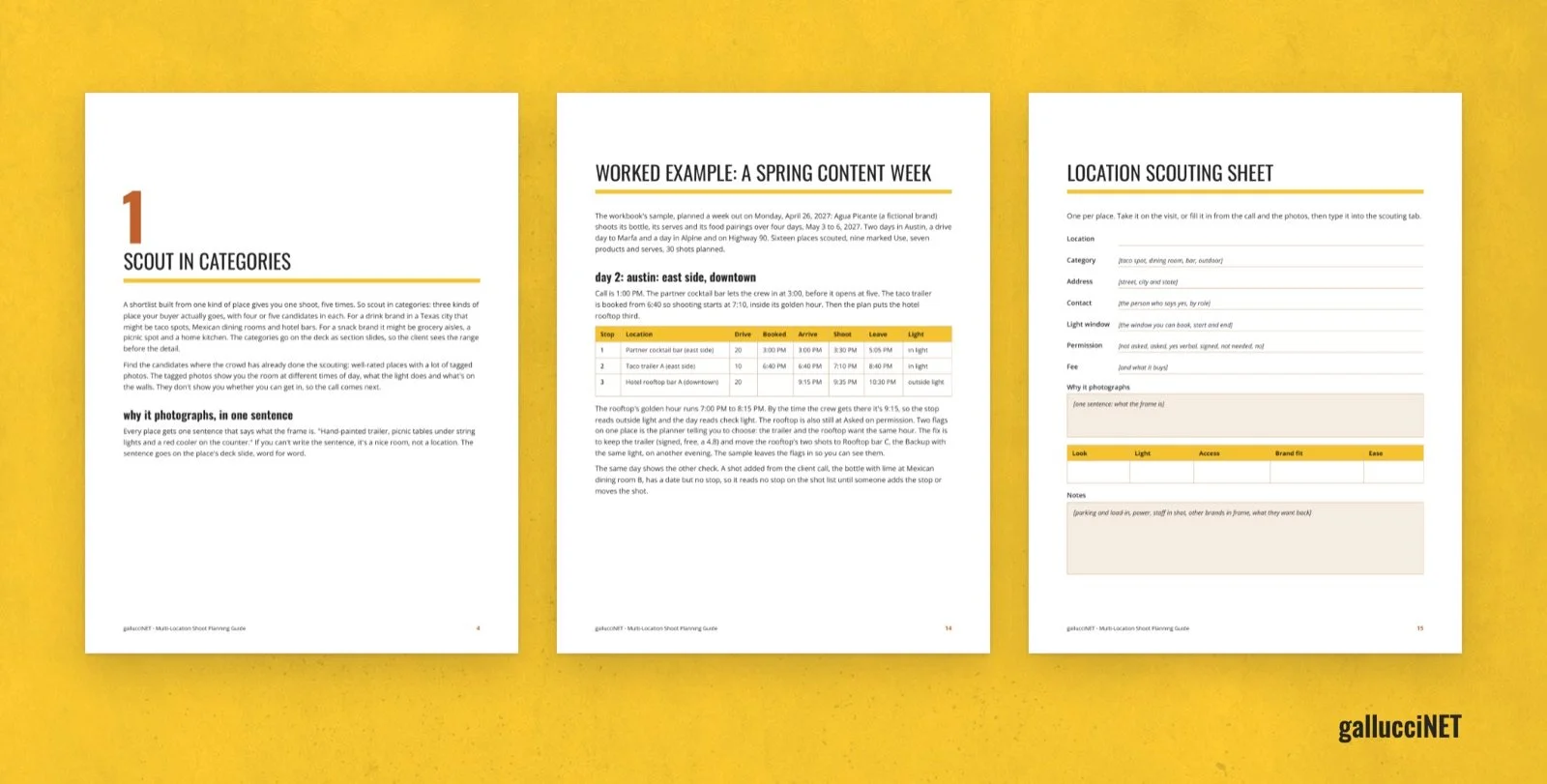
The planning guide: five sections on the method, a worked example, and a scouting sheet, day run sheet and shot list to print (PDF, 18 pages)
The Canva version of the deck: the same 13 slides as a Canva template (Canva template link)
The Notion version: scouting, products, the shot list and the days as Notion databases (Notion template link)
A sample: a fictional brand's four-day content week, cleared with one select-and-delete (in the XLSX)
The terms of use: the first file in the download (PDF)
who it's for
Anyone planning a shoot that moves:
content creators and photographers shooting a brand's products across a city or a road trip
in-house producers at food and beverage brands planning a content week in a new market
agencies and social managers who have to show a client the shortlist before anyone books a room
It plans the shoot. It doesn't pack the bags (the Shoot-Day Gear Checklist does that), quote the job or manage releases.
preview
how it works
Scout and score. List the candidates in three categories, score each one on look, light, access, brand fit and ease, and send the client the shortlist on the deck.
Assign and sequence. Put each shot on a product, a place and a date. Order each day's stops with the drive minutes and booked times, and fix whatever reads outside light, no stop or over.
Print and shoot. Print the run sheet for each day and update each shot's status as you go.
where the method comes from
Two things I built for real work went into this. One is a shoot ledger from a run of product shoots across a chain's store locations: location, product, date, status, and a grid of products by dates. The other is the scouting deck format I used for a beverage brand's social shoots: places grouped in categories, five of each, with an address and a line on why each one photographs.
Neither had the part that hurts: the day plan. This kit adds the scores, the coverage targets and the stop sequencing, and strips out every client name, place and photo.
formats and delivery
1 Excel workbook (.xlsx) with tinted input cells, locked formulas and a sample you can clear; works in Excel 2019 or later, Google Sheets and Numbers
The location scouting deck as a PowerPoint file (.pptx) with bracket tokens to replace
The planning guide as an 18-page PDF
Canva and Notion template links (a PDF in the zip for each tells you how to copy it)
One zip, delivered by download link as soon as payment clears
Fonts: Oswald and Open Sans, both free from Google Fonts
get the kit
$19, one time. One license for you or your organization.
All sales are final. Questions first? Email support@gallucci.net before you buy.
questions
Does it work out drive times for me?
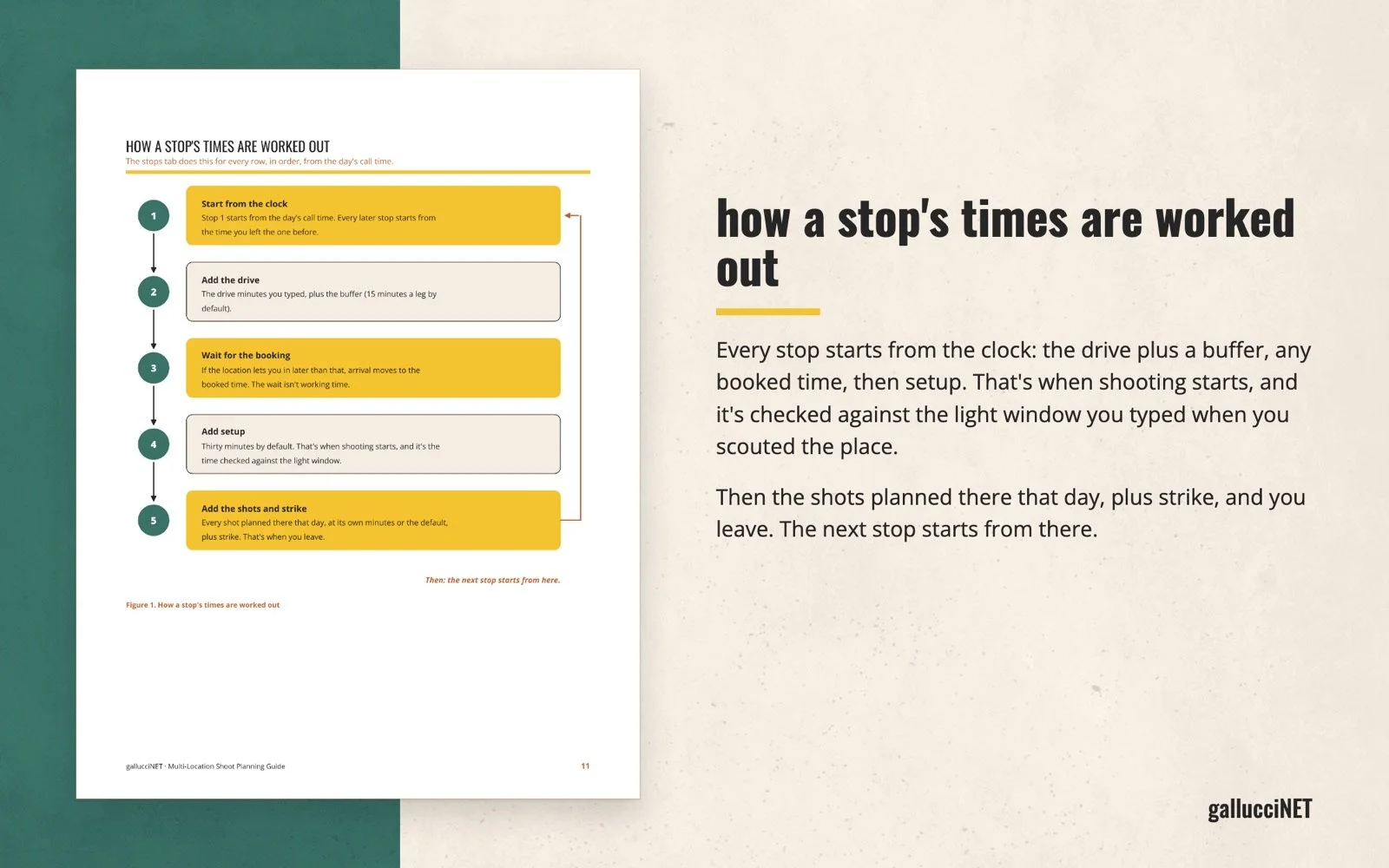
No. You type the drive minutes from your maps app, and the workbook adds a buffer to every leg and works out arrival, shooting and leave times from them.
How big a shoot does it handle?
Up to 12 shoot days with 6 stops each, 40 scouted places, 30 products and 300 shots. Copy the rows down if you need more.
I already bought the Shoot-Day Gear Checklist. Is this the same thing?
No. That kit packs the bags and logs what you shot. This one plans the shoot before it happens: where, which product, which day and in what order. They're built to sit side by side.
Can I send the scouting deck to my client?
Yes. That's what it's for. Replace the tokens, add your own photos and delete the how-to slide.
Is there a Google Sheets version?
The XLSX opens in Google Sheets and works there. A separate Sheets copy isn't included.
Can I get a refund?
No. All sales are final, because a digital file can't be returned once it's delivered. If a file arrives corrupted or won't open, email support@gallucci.net within 30 days and I'll send a working copy. If you're not sure this fits your brand, email support@gallucci.net before you buy and ask.
Do I get updates?
No. You get the edition you buy, and nothing on this page promises updates. If a new edition comes out, it's sold as its own product.
Can I use it for clients?
Yes. One purchase is one license for you or your organization. An agency or freelancer can use it on any number of client accounts; the client gets the finished work, not the product files. A client that wants its own team using the files needs its own copy.
Does it guarantee results?
No. Every number in it is a planning figure with a date and a source, there to show the method. What you get out of it depends on your product, your market and how you run it.
what has changed
every change to this product, newest first. the download you buy today is the current version.
November 26, 2026: First released.
terms
Buying or using this product means you accept the gallucciNET terms of use: gallucci.net/terms. A copy (READ_ME_FIRST_terms_of_use.pdf) is the first file in the download.
about giovanni
giovanni gallucci runs gallucciNET out of Marfa and Dallas. He's spent twenty years on social, content, field and launches for food and beverage brands, and has planned more shoot days around the light than he can count.
He hosts The Daily Trend Report, a morning podcast on food and beverage, content, social and AI (show notes at gallucci.net/podcasts), and wrote A Social Media Marketing Framework for Food and Beverage CPG Brands (2nd Edition) and Viral and Broke: A Field Guide to Social Media for Food and Beverage Brands. More at gallucci.net.
adage, emmy, telly & webby award-winning digital marketing consultant for purpose-driven food & beverage brands.