
Social Content Request, Approval and Partner Co-Post System
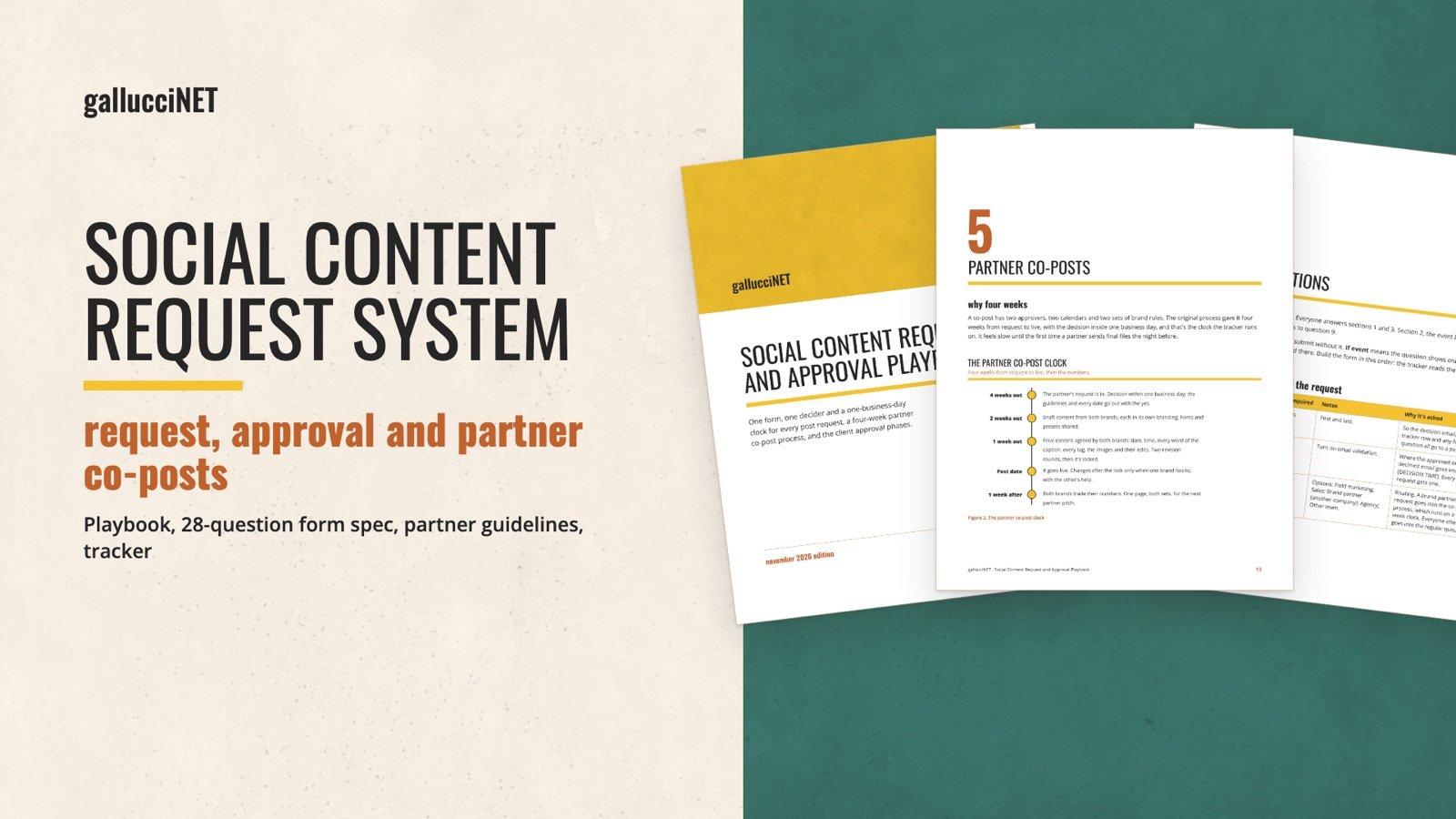
Replace the "can you post this?" emails with one form, one decider and a decision on every request within one business day.
last updated · what has changed
the problem
Every brand with a field team gets the same requests. A rep has an event Saturday. Sales wants a post about the new store. A partner brand emails the founder, who forwards it to social with "can we do this?". Each one shows up somewhere different, four days before it's needed, with a screenshot of a flyer and a handle spelled wrong.
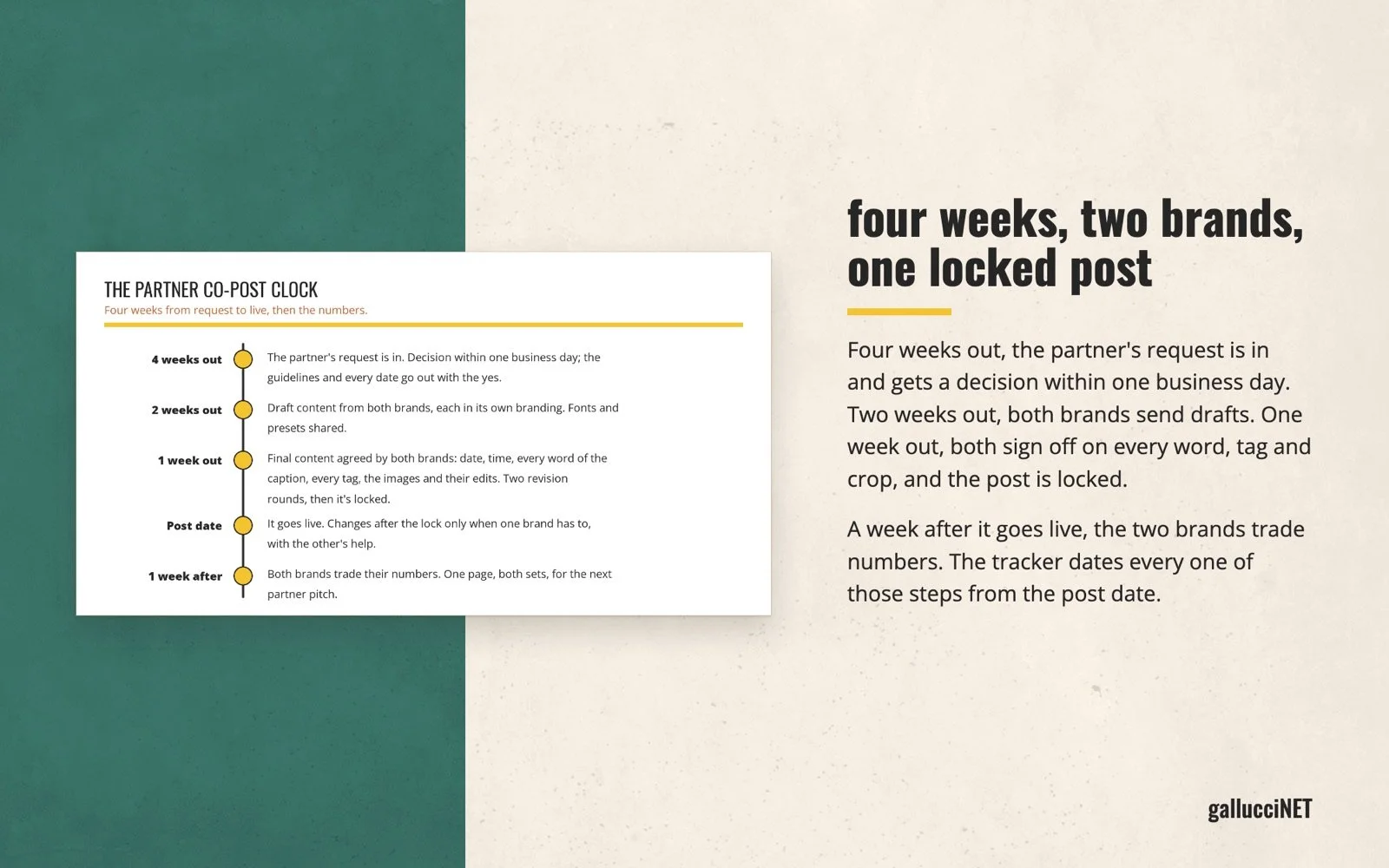
I built the fix for a national beverage brand's field and partner teams: one request form, one person deciding, and an answer inside one business day, plus a fixed four-week clock for posts with partner brands. Later I wrote the approval model for a beverage brand launch, where the client's pre-approval had to give way to direct posting within three months. Both are in this kit.
what's inside
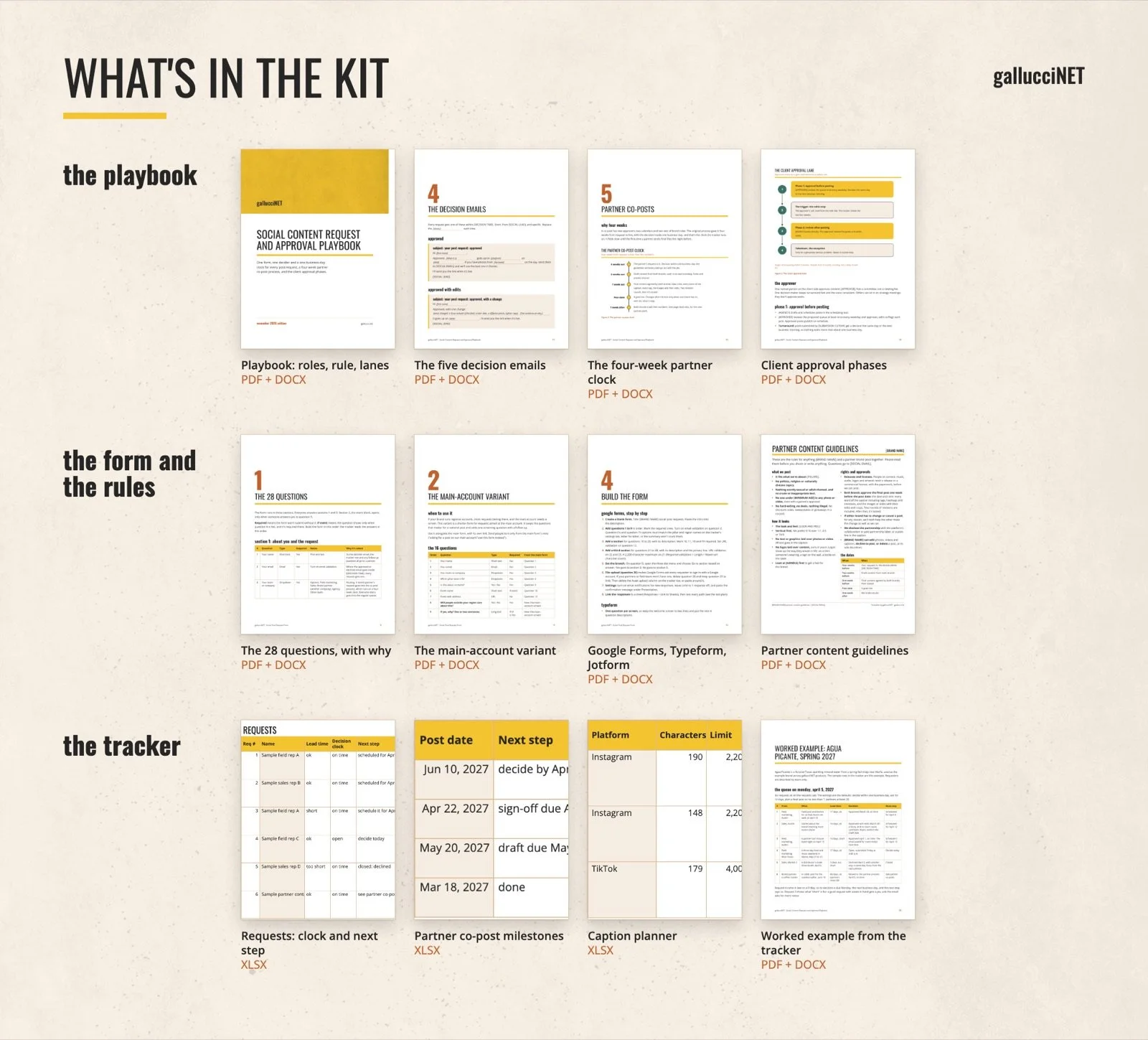
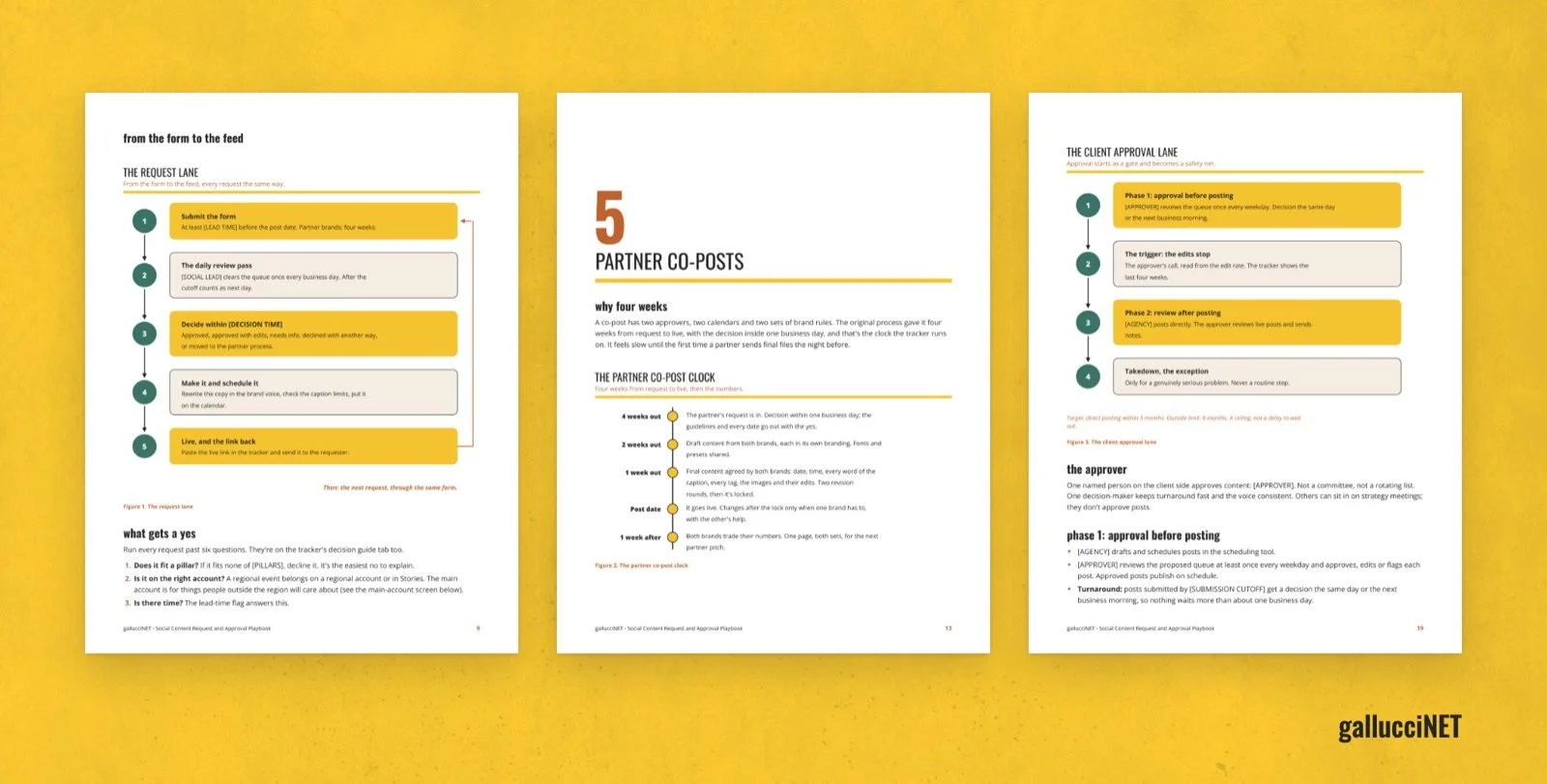
The playbook: the roles, the one-business-day decision rule and the daily review pass, the lead-time rule, the six questions every request gets, the five decisions and their emails, the four-week partner co-post clock with copy and graphic approval, the partner content rules and why, the two-phase client approval workflow with its 3-month target and 6-month limit, the tracker walk-through and a worked example (PDF + Word)
The request form spec: all 28 questions with type, required flag and the reason for each; the event branch; a 16-question main-account variant with its screen; the copy to paste; build notes for Google Forms, Typeform and Jotform; the column map (PDF + Word)
Partner content guidelines: the one page you send a partner brand before anything is shot, with the dates (PDF + Word)
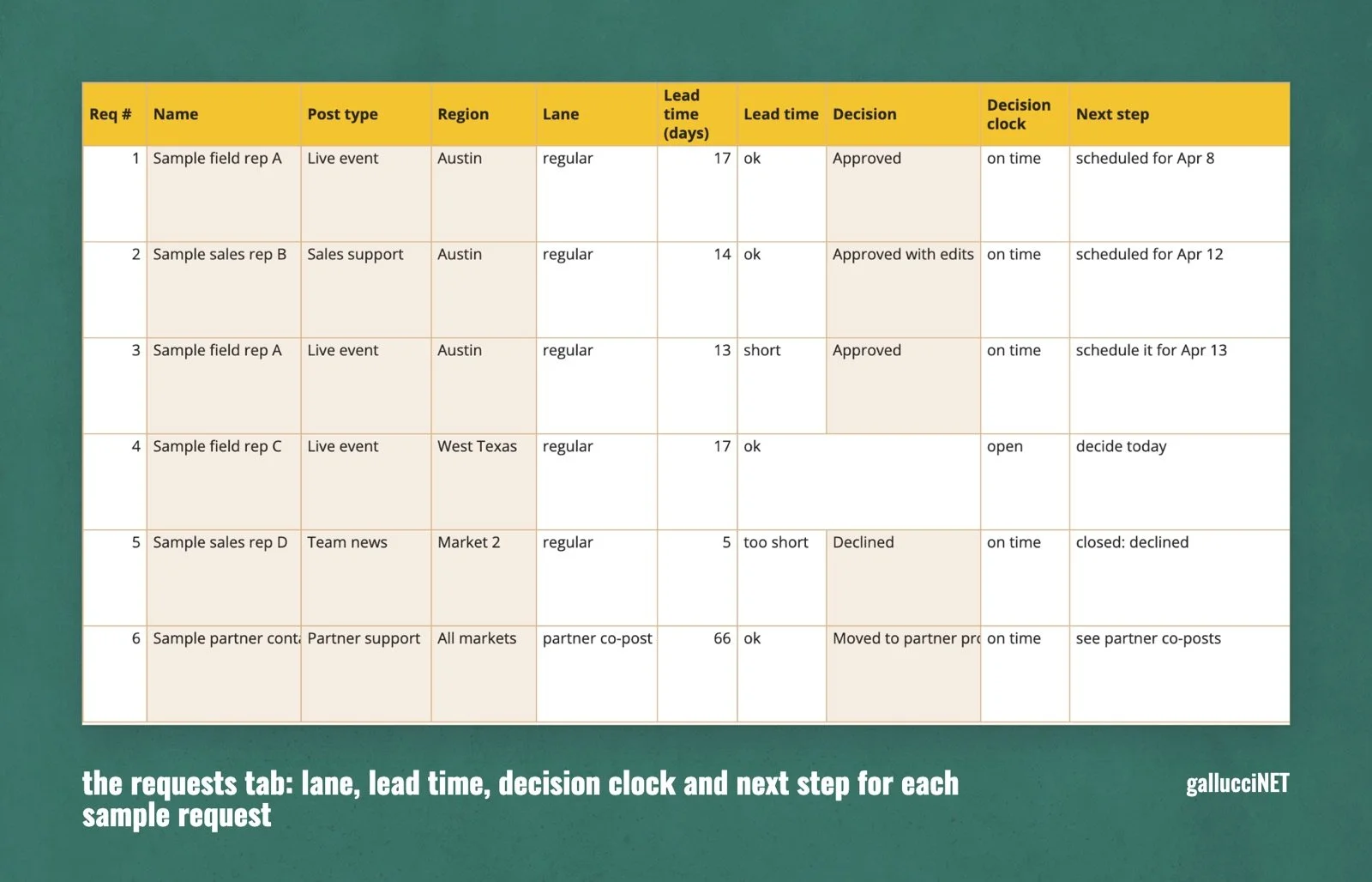
The tracker: requests with a decision clock, lead-time check and next step; partner co-posts with every milestone dated; a caption planner that counts characters and hashtags by platform; the client approval log with the phase readout; a summary (XLSX)
The Notion version: The same system, set up as a Notion template you copy into your own workspace with one click. The request, co-post, caption and approval databases, with the decision guide and emails as pages. Your duplicate link is on the access page in the zip (Notion + PDF)
The terms of use: the first file in the download (PDF)
who it's for
Social leads at food and beverage brands with field teams, sales reps or brand partners asking for posts, and the agencies and consultants who need their clients to approve faster.
in-house social managers who get post requests by text, DM and forwarded email
teams that co-post with partner brands and lose a week to "which photo did we agree on?"
agencies and freelancers still waiting on a client's yes before every post
If nobody outside the social team ever asks you for a post, you need the partner and approval parts more than the form.
preview
how it works
Build the form. Twenty-eight questions in three sections with one branch, in Google Forms, Typeform or Jotform. The copy is written; replace the bracket tokens.
Name one decider. Put the name on the form, set the decision time and lead times on the tracker's settings, and clear the queue once every business day.
Run the lanes. Regular requests through the six questions; partner posts on the four-week clock with the guidelines attached; client posts through phase 1 until the edit rate says it's time for phase 2.
where the method comes from
The request form, the review timeline, the decision emails and the partner process come from the system I built for a national beverage brand's field marketing and partner teams. The client approval phases come from the workflow I wrote for a beverage brand's U.S. launch. The brands, the people, the contract language and every request are gone.
The tracker was rebuilt from scratch on the structure of the original request exports and the planning sheet behind them. No response data came across: the sample rows are a fictional brand, with requesters described by team.
formats and delivery
Three PDFs with matching Word files (.docx): the playbook, the form spec and the partner guidelines
One workbook (.xlsx) with tinted input cells, locked formulas and sample rows you can clear. It works in Excel, Numbers and Google Sheets
A Notion template you copy into your own workspace from the duplicate link on the access page in the zip (a free Notion account works)
One zip, delivered by download link as soon as payment clears
get the kit
$29, one time. One license for you or your organization.
All sales are final. Questions first? Email support@gallucci.net before you buy.
questions
Do I need Google Forms?
No. The spec has build notes for Google Forms, Typeform and Jotform. Any of them can export responses to paste into the tracker, and Google Forms can fill it on its own with one formula.
Does the tracker work in Google Sheets?
Yes. Import the .xlsx into Google Sheets and every formula works there. It also works in Excel and Numbers.
I'm in-house. Do I need the client approval part?
Probably not. Skip that chapter and leave the client approvals tab empty; nothing else depends on it.
How is this different from the Brand Collab Partnership Kit?
That kit gets partner brands to say yes and puts the year-long trade on paper. This one runs each co-post once they have: the four-week clock, the approvals on both sides and the content rules. They fit together.
Can I get a refund?
No. All sales are final, because a digital file can't be returned once it's delivered. If a file arrives corrupted or won't open, email support@gallucci.net within 30 days and I'll send a working copy. If you're not sure this fits your brand, email support@gallucci.net before you buy and ask.
Do I get updates?
No. You get the edition you buy, and nothing on this page promises updates. If a new edition comes out, it's sold as its own product.
Can I use it for clients?
Yes. One purchase is one license for you or your organization. An agency or freelancer can use it on any number of client accounts; the client gets the finished work, not the product files. A client that wants its own team using the files needs its own copy.
Does it guarantee results?
No. Every number in it is a planning figure with a date and a source, there to show the method. What you get out of it depends on your product, your market and how you run it.
what has changed
every change to this product, newest first. the download you buy today is the current version.
November 26, 2026: First released.
terms
Buying or using this product means you accept the gallucciNET terms of use: gallucci.net/terms. A copy (READ_ME_FIRST_terms_of_use.pdf) is the first file in the download.
about giovanni
giovanni gallucci runs gallucciNET out of Marfa and Dallas. He's spent twenty years on social, content and launches for food and beverage brands, and he writes everything in this kit from that work.
He hosts The Daily Trend Report, a morning podcast on food and beverage, content, social and AI (show notes at gallucci.net/podcasts), and wrote A Social Media Marketing Framework for Food and Beverage CPG Brands (2nd Edition) and Viral and Broke: A Field Guide to Social Media for Food and Beverage Brands. More at gallucci.net.

adage, emmy, telly & webby award-winning digital marketing consultant for purpose-driven food & beverage brands.