
Social Video Storyboard Sheets
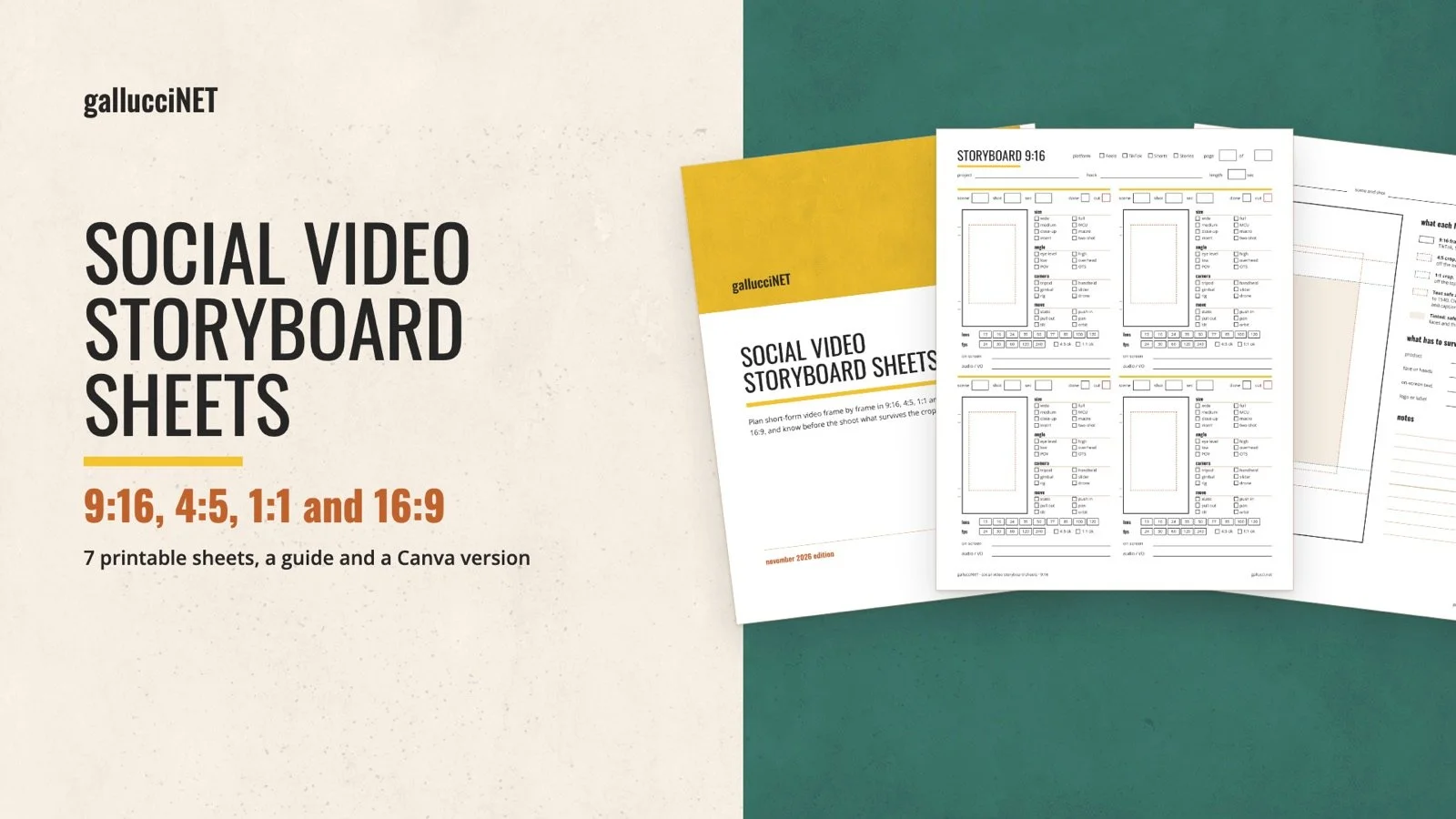
Board every short-form video in the shape it ships in, with the no-text zones already drawn, and know before the shoot which shots survive the crop.
last updated · what has changed
the problem
Most storyboard templates were drawn for cinema. Wide frames, film aspect ratios, and nothing about the buttons and captions a phone puts over the edge of a Reel.
So the plan gets made in one shape and the video ships in three. The hook text lands under the like button. The 4:5 feed cut chops the bottle in half. The slow-motion pour was shot at 30 frames a second, and there's no fixing that in the edit.
These sheets put those decisions on paper before the shoot: the frame in the right shape, the safe zone drawn inside it, the crop marks outside it, and a box for every choice the camera person has to make.
what's inside
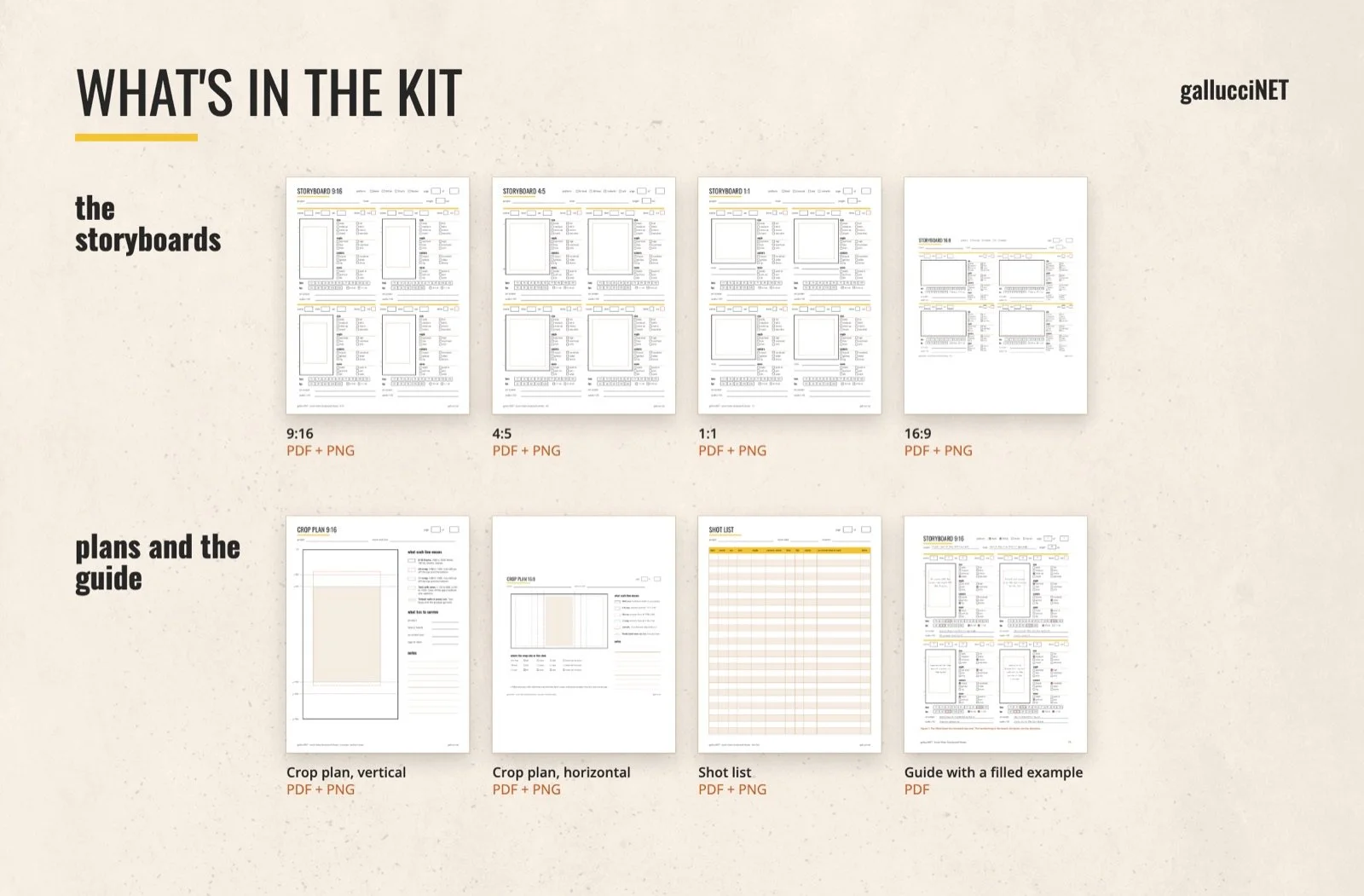
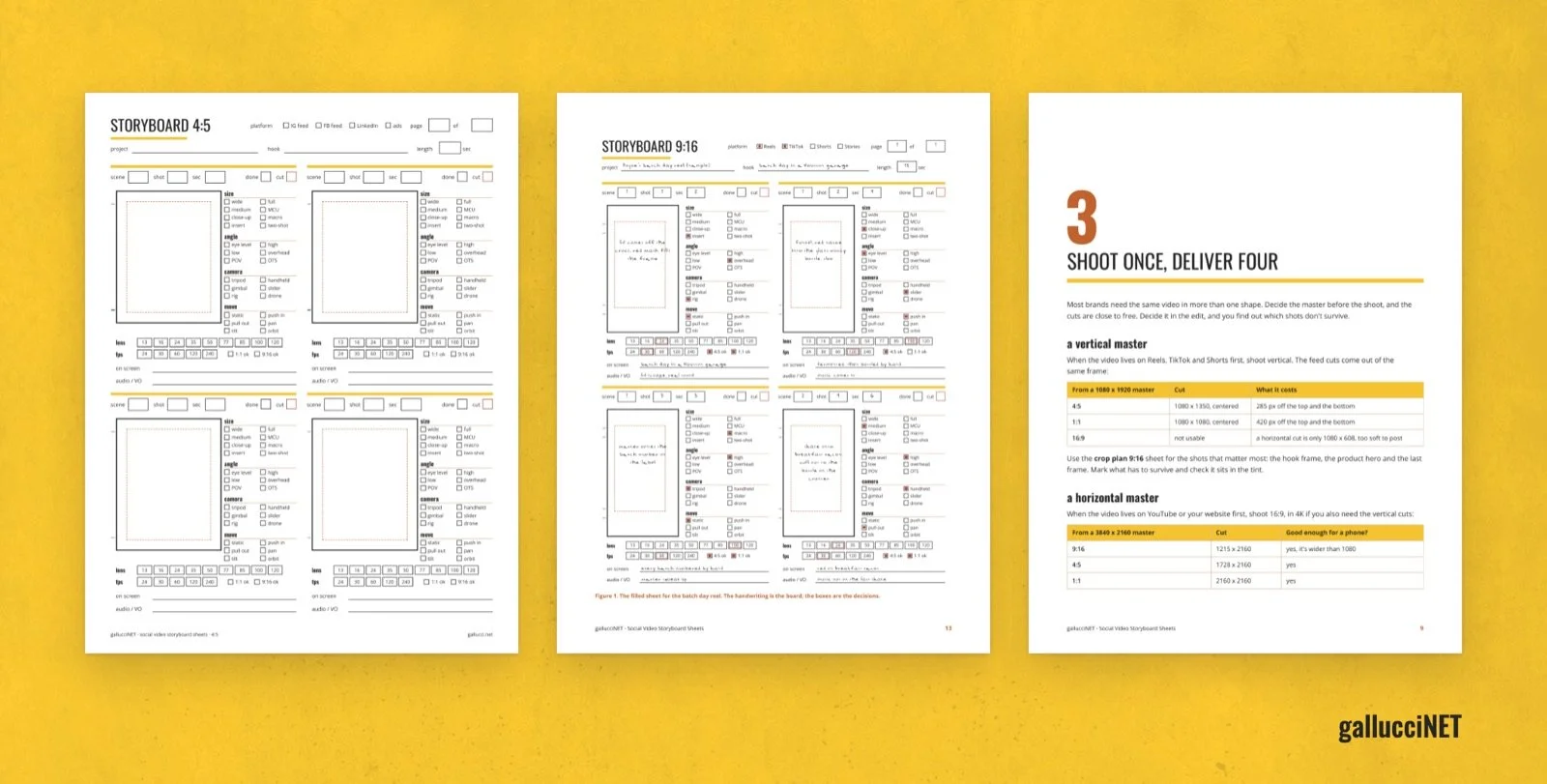
Storyboard sheets: 9:16, 4:5, 1:1 and 16:9, four panels a page, each with scene, shot and seconds, done and cut, size, angle, camera, move, lens and frame rate boxes, a crops-ok check, and lines for on-screen text and audio (PDF, vector)
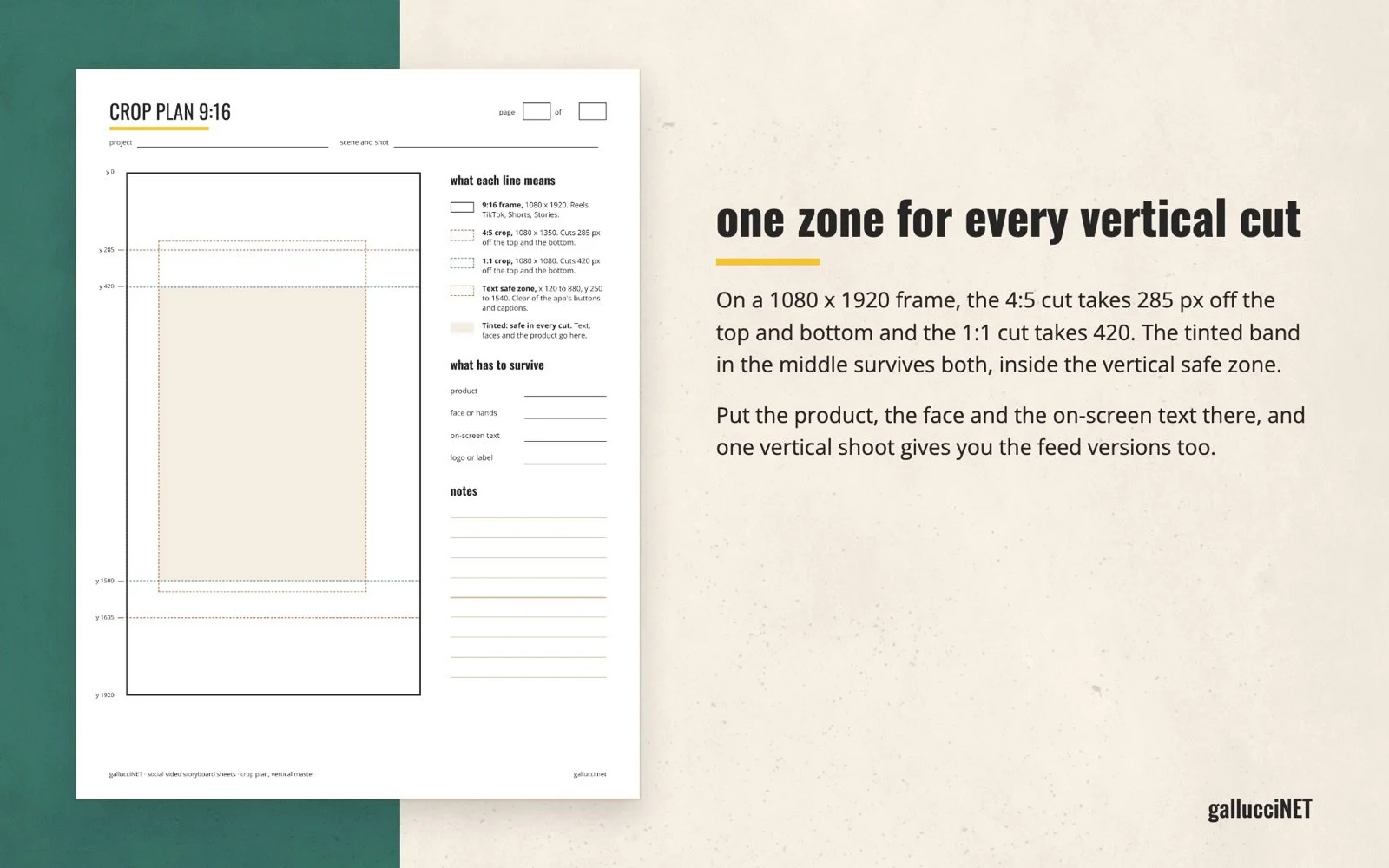
Two crop plans: a vertical master with the 4:5 and 1:1 cuts and the safe-in-every-cut zone, and a horizontal master with the 9:16, 4:5 and 1:1 cuts and the 4K sizes (PDF)
A shot list: one row per shot, in shooting order (PDF)
PNG copies: all seven sheets at 300 dpi, for tablet note apps (PNG)
The guide: how to read the sheet, which ratio goes where, the safe zones, shooting once for four shapes, an eight-step method and a filled 15-second example (PDF, 14 pages)
The Canva version: the same sheets as editable Canva templates, for boarding on screen with reference photos (Canva template link)
The terms of use: the first file in the download (PDF)
who it's for
Anyone who plans short-form video before they shoot it:
social managers and content creators at food and beverage brands
freelance shooters and editors who need the client to sign off on a plan
small brand teams that shoot on phones and post to Reels, TikTok, Shorts and the feed
It's a planning sheet. It doesn't write your script or edit the video.
preview
how it works
Write the hook and the length. Pick the sheet for the shape the video ships in, tick the platform and write the hook as one sentence.
Board it, then tick the boxes. First frame, last frame, then the middle. One size, angle, camera, move, lens and frame rate per panel, and the on-screen text inside the dashed line.
Copy it to the shot list. Shooting order, grouped by setup. On the day, tick done or cut on every panel.
where the method comes from
I've kept a folder of storyboard sheets for years. They were cinema sheets, all wide frames, and for social work I was always drawing a phone shape inside a movie shape and guessing where the captions would land.
So I drew these from scratch for the shapes my clients' videos actually ship in: food and beverage brands posting to Reels, TikTok, Shorts and the feed. The safe zone is the one I use on every vertical video I make. The crop plans come from shooting one vertical master and cutting the feed versions out of it.
formats and delivery
The sheets as one 7-page vector PDF (US Letter, prints on A4 with fit to page)
The same seven sheets as 300 dpi PNG files
The guide as a 14-page PDF
A Canva template link (a PDF in the zip has the link and how to copy it)
One zip, delivered by download link as soon as payment clears
Fonts: Oswald and Open Sans, both free from Google Fonts
get the kit
$5, one time. One license for you or your organization.
All sales are final. Questions first? Email support@gallucci.net before you buy.
questions
Can I print as many copies as I want?
Yes, for your own projects and your own clients' projects. Print a page per few seconds of video.
Will it work on an iPad?
Yes. Open the PDF or a PNG in any note app that takes a pencil and duplicate the page. The Canva version works in a browser or the Canva app.
Where do the safe zone numbers come from?
The 9:16 zone is the one giovanni uses on every vertical video. It keeps text clear of the top bar, the button rail and the caption. Platforms move their buttons now and then, so check a test post before a big campaign.
Do I need to be able to draw?
No. Boxes, circles, arrows and a few words in the frame are enough. The tick boxes carry the decisions.
Can I get a refund?
No. All sales are final, because a digital file can't be returned once it's delivered. If a file arrives corrupted or won't open, email support@gallucci.net within 30 days and I'll send a working copy. If you're not sure this fits your brand, email support@gallucci.net before you buy and ask.
Do I get updates?
No. You get the edition you buy, and nothing on this page promises updates. If a new edition comes out, it's sold as its own product.
Can I use it for clients?
Yes. One purchase is one license for you or your organization. An agency or freelancer can use it on any number of client accounts; the client gets the finished work, not the product files. A client that wants its own team using the files needs its own copy.
Does it guarantee results?
No. Every number in it is a planning figure with a date and a source, there to show the method. What you get out of it depends on your product, your market and how you run it.
what has changed
every change to this product, newest first. the download you buy today is the current version.
November 26, 2026: First released.
terms
Buying or using this product means you accept the gallucciNET terms of use: gallucci.net/terms. A copy (READ_ME_FIRST_terms_of_use.pdf) is the first file in the download.
about giovanni
giovanni gallucci runs gallucciNET out of Marfa and Dallas. He's spent twenty years on social, content, field and launches for food and beverage brands, and he still boards his own shoots.
He hosts The Daily Trend Report, a morning podcast on food and beverage, content, social and AI (show notes at gallucci.net/podcasts), and wrote A Social Media Marketing Framework for Food and Beverage CPG Brands (2nd Edition) and Viral and Broke: A Field Guide to Social Media for Food and Beverage Brands. More at gallucci.net.

adage, emmy, telly & webby award-winning digital marketing consultant for purpose-driven food & beverage brands.