After 20+ Years and Way Too Much Money, This Is the Tech Stack I Finally Trust
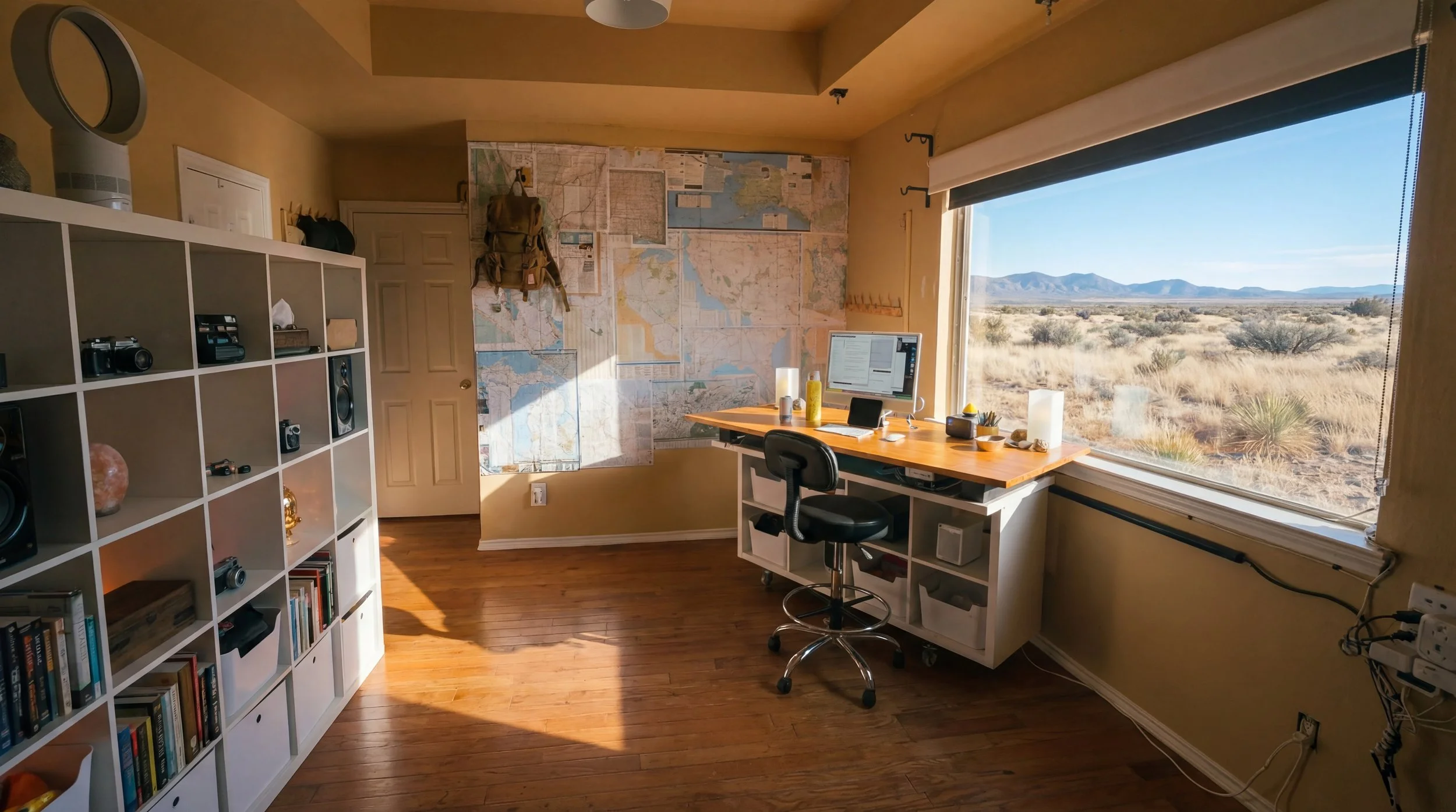
I’m a social media consultant and content creator with over 20 years in the game. I do this for a living. I love it to death. It’s a dream job for me.
After decades of spending obscene amounts of money on hardware, software, cameras, plugins, subscriptions, and shiny new tools that promised to fix everything, this is where I’ve landed.
This is my sweet spot.
This is my nirvana.
What you’re reading below is not a wishlist. It’s not an affiliate roundup. It’s not a “top tools for creators in 2026” post.
This is my actual tech stack.
The tools I use every day.
The tools I trust.
The tools I’ve kept after stripping everything else away.
I’ve reached a point where I’m finally practicing the kind of tech minimalism I always wanted. Not minimal for the sake of aesthetics. Minimal because focus matters. Depth matters. Mastery matters.
There’s still more tightening to do, but this is the smallest, cleanest, most intentional setup I’ve ever had in my life. And somehow, it’s also the most powerful.
As I continue to learn these tools and identify overlap, I’ll keep cutting. I’ll keep peeling things back. I’ll keep removing anything that doesn’t earn its place. The goal is deep knowledge of a few tools, not shallow familiarity with dozens.
If 22-year-old me had this setup, I would have saved an unbelievable amount of time, money, and frustration. Decades of chasing tools that never quite delivered.
Here’s the full tech stack I’ve landed on.
HARDWARE
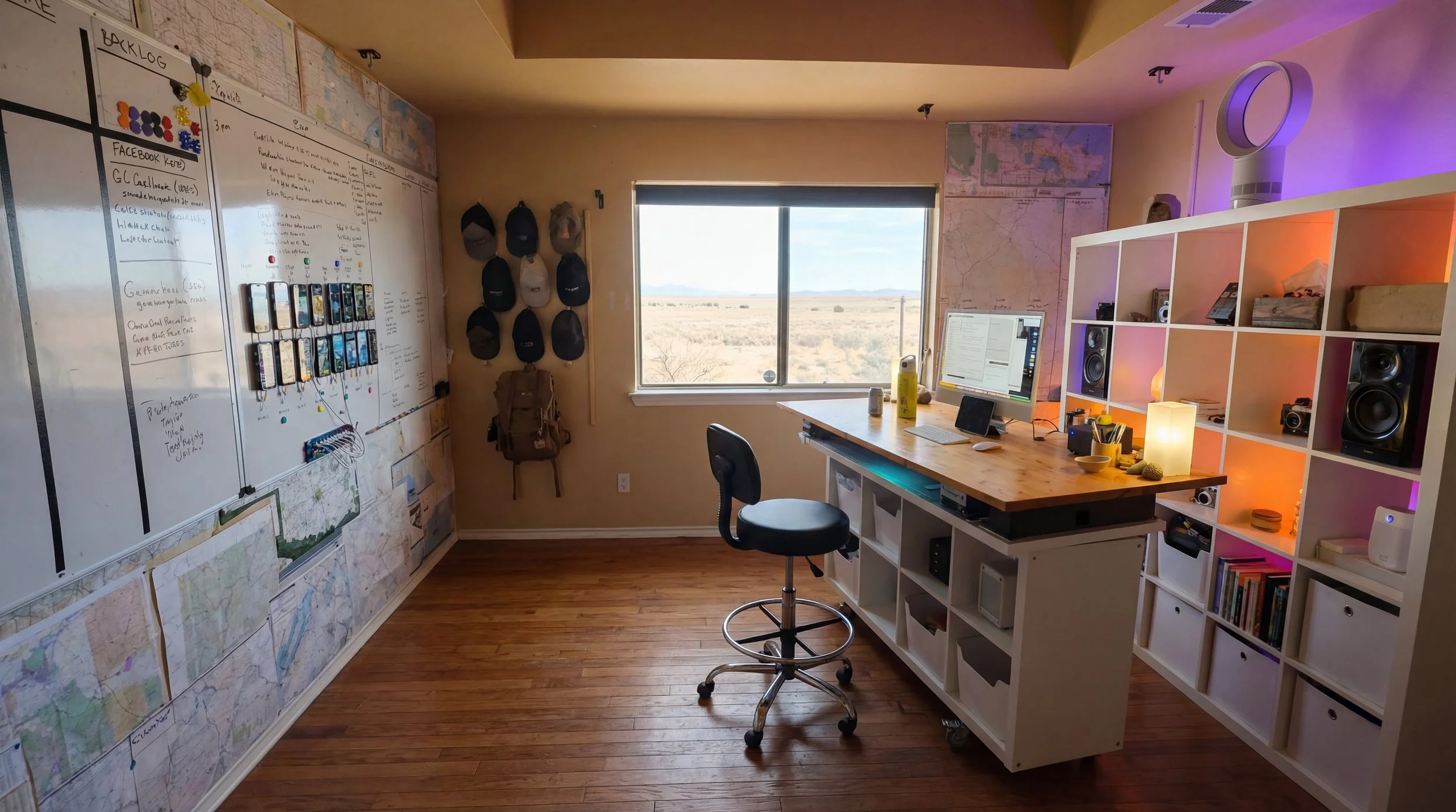
M4 iMac (16 GB RAM, 500 GB internal SSD): This is my primary workstation and the center of everything I do. I intentionally run a single-screen setup with no external speakers or extra peripherals to reduce visual and mental clutter. The goal is a machine that disappears so I can stay focused on the work.
Apple Magic Keyboard and Magic Mouse: That’s it for input devices. I intentionally avoid extra peripherals to keep my desk and workflow simple.
4 TB Samsung T7 SSD (Media Drive): This is my daily working drive and the most important piece of storage in my workflow. Every active project, current asset, and in-progress file lives here while I’m working on it. If I’m touching it today, it’s on this drive.
CalDigit TS3 Plus Dock: Mounted under my desk to keep cables out of sight and ports easily accessible. This helps maintain a clean workspace without sacrificing functionality.
Apple Time Machine (32 TB RAID): Runs incremental backups of the internal SSD and the Media drive every 60 minutes. This gives me version history and the ability to roll back mistakes without touching my main archive system.
48 TB LaCie RAID 0 (Assets Drive): This is my always-on, hot archive that contains everything I’ve accumulated over the last 20 years. Photos, videos, audio, documents - all searchable and instantly accessible. This is not cold storage; it’s a living library.
Carbon Copy Cloner: Runs automatically every six hours in the background. It syncs the Media drive to the Assets drive without me thinking about it. This is the safety net that allows me to work fast without fear.
56 TB External Archive Drive (Cold Backup): This drive stays powered off during the week and is only connected once a week for a manual, non-destructive backup. Nothing is ever deleted or mirrored back from this drive; it only receives new or updated files. This protects against catastrophic failure or accidental loss.
M1 MacBook Air: This is my travel and mobile workstation. Before trips, I sync it with my Media SSD, and when I return I sync everything back before powering on the iMac. The goal is zero friction between machines.
4 TB External SSD for MacBook Air: This mirrors the Media drive from my desktop while I’m traveling. It ensures I’m always working locally with current files, even when offline.
iPhone 15 Pro Max: This is my everyday driver and camera. I no longer own traditional cameras because my creative workflow no longer requires them. Everything starts on iPhones now.
Multiple iPhones (various models): These are dedicated devices used to manage social media personas and accounts. Each one has its own cellular service and stays off my home Wi-Fi to keep environments clean and isolated. More details about this ecosystem coming up in a future article.
iPad Mini (desktop / travel): This lives on my desk for YouTube and YouTube TV while I work. It becomes my navigation screen on long trips and serves as a second screen when working from coffee shops or coworking spaces.
iPad Mini (wall-mounted): Fixed to the wall and used exclusively for music playback and weather display. It’s connected to JBL studio monitor speakers and never moves. One job, done well.
DESKTOP SOFTWARE
macOS: My operating system for my entire professional career. Everything in my workflow is designed around it.
Apple Safari: My primary browser for the majority of my work. It’s fast, stable, and integrates cleanly with the Apple ecosystem.
Google Chrome: Used specifically for profile isolation. Each client, persona, and social avatar has its own environment so nothing bleeds together.
Apple Calendar: Used for time blocking and scheduling. Simple and reliable.
Apple Mail: Used because clients use email. That’s the only reason.
Apple Notes: Used for lightweight organization, reference notes, and lists. Fast and available everywhere.
iA Writer: Always open and central to how I think. All writing starts as plain text so ideas aren’t slowed down by formatting decisions. BBEdit installed as a backup text editor used occasionally for specialized tasks.
Microsoft Excel: Used for structured lists, data tracking, and occasional analysis.
Apple Keynote: My preferred presentation tool. Clean, fast, and intuitive. Microsoft PowerPoint is installed only to open or edit client files.
Microsoft Teams & WhatsApp: Used because some clients live there. Flexibility is part of consulting. You meet clients where they are.
Final Cut Pro: My primary desktop video editor. I’ve used it for years and value deep familiarity over chasing new tools.
CapCut: Used for fast-turn social content when speed matters more than polish. Available on both desktop and mobile.
Insta360 Studio: Required software for extracting and reframing 360-degree footage.
Topaz Photo AI: Used for upscaling and enhancement of images, particularly generative or older content.
Topaz Video AI: Used for video upscaling and enhancement when quality needs a boost.
TouchRetouch: Preferred tool for object removal. More reliable than built-in AI tools.
Luminar Neo: Used occasionally for LUTs and color correction.
Lensa: Used for artificial depth-of-field and bokeh effects. A focused, one-purpose tool.
Apple Photos with iCloud Photos: This is where photos and videos live long-term. While active projects may live on the Media drive, finished assets are archived here for universal access and long-term organization.
Power Resize: Used for batch resizing and intelligent cropping across multiple aspect ratios.
Meta Image: Used to rewrite EXIF metadata so generative images present as camera-originated files when needed.
ChatGPT Desktop App: Always running in the background. Used for ideation, drafting, framing, and problem solving.
Apple Voice Memos: Used constantly to capture ideas while walking, driving, or thinking.
Otter AI: Used to record meetings, transcribe conversations, and keep searchable notes.
Discord: Used for specific communities and coordination when needed.
Better File Rename: Used to enforce strict naming conventions across media files. This keeps archives searchable and prevents chaos over time.
Color Picker: A simple utility for grabbing color values from anywhere on screen. One job, zero friction.
Gemini 2: Used a couple of times a month to identify and remove duplicate files in large media folders.
NordVPN: Used across devices when VPN access is required.
Sync Folders Pro: Used for manual folder syncing, especially when moving organized downloads into the Media drive.
WEB SERVICES AND PLATFORMS
ChatGPT (Pro tier): My primary second brain for strategy, writing, ideation, prompt engineering, and technical problem solving. I heavily use voice mode so I can talk through ideas out loud and hear responses in real time, which aligns with how I process information.
Sesame Maya: A conversational AI used similarly to ChatGPT voice, but with persistent memory across sessions. I can come back weeks later and continue conversations seamlessly, which makes it ideal for long-term thinking while pacing or walking.
Grok (xAI): Used when ChatGPT is unavailable or overly cautious. It already understands my worldview and writing style because of my history on X.
Higgsfield: My primary hub for generative image and video creation across multiple models without bouncing between platforms.
Nano Banana Pro: My go-to image model for bright, commercial, modern photography aligned with brand and social work.
Midjourney: A model I know deeply and still use for cewting images with specific aesthetics and animation.
KLING 2.6: My primary video generation model and widely regarded as an industry leader. Used for cinematic and commercial B-roll content.
KLING Motion Control: Allows motion reference video input so avatars or subjects can realistically mimic movement. Powerful enough to be treated as part of the same platform.
Google VEO: My secondary video model. It consistently ranks as a top choice among creators and fits well within my workflow.
HeyGen: Primary platform for generative talking-head and avatar-style videos.
ElevenLabs: Used for voice cloning and synthesis for myself and clients. They do talking head videos also.
Buffer: Core social scheduling platform. Paid plans for clients, free plans for AI personas to manage cost and cadence.
ComfyUI: A node-based generative environment I’m actively preparing to go deep on for high-quality, scalable image and video workflows. It has a steep learning curve, but that’s the point - the control, flexibility, and repeatability it offers make it a long-term investment rather than a convenience tool. My goal is to use ComfyUI to build tightly controlled, production-grade pipelines so I can generate content at scale without sacrificing quality or consistency.
Zapier: Automation layer I’m actively leaning into to reduce manual work and tighten workflows.
Riverside.fm: Used for podcast recording, management, and AI-assisted clipping.
Apple iCloud (12 TB plan): This is my primary document, photo, and video syncing system across all devices. Everything is automatically available on my desktop, laptop, phone, and iPads without manual intervention. Accessibility matters more to me than micromanaging files.
QuillBot: Primary clarity and AI-detection tool used before final polish.
Grammarly (web only): Final pass for grammar, tone, and reading level. Used after QuillBot.
RocketReach.co: Primary prospecting and lead generation tool.
Flickr (Pro): Used as an image host for Buffer bulk uploads.
Squarespace: Website hosting platform I’ve used for over a decade.
Social Platforms: X, LinkedIn, Instagram, and TikTok are actively used. Threads receives cross-posts only.
YouTube (Future Focus): A major priority once automation and video workflows are fully dialed in.
CHROME EXTENSIONS
Higgsfield Chrome Extension: Turns any image on the web into a generative starting point.
RocketReach (Chrome Extension): Displays contact data directly inside LinkedIn profiles.
Sortfeed (Chrome Extension): Performance-based research tool for Instagram and TikTok content discovery.
YouTube Summary (Chrome Extension): Used to generate transcripts and summaries for research.
YT Watch Later Assist (Chrome Extension): Keeps Watch Later lists manageable and usable.
Holy cow. After reading through all of that, it probably doesn’t feel very minimal.
Believe me, it is compared to what I used to run, especially on the hardware side.
Even writing this forced me to see how many touchpoints still exist - and that awareness is how friction gets reduced.
I’m constantly cutting tools, reducing overlap, and simplifying how work flows from idea to execution. The fewer tools I have to touch to produce world-class work, the better.
My goal is that before the end of the year, this list will be cut in half. That’s the next sweet spot after the one I’m in now.
I feel incredibly blessed to work with tools like this.
The content I’m creating right now is better than anything I’ve produced in my career. And that’s rare for me to say.
But right now, I’ve never been more proud of the work I’m doing for clients or for myself.
That comes from humility. From appreciation. And from finally building a system that gets out of the way instead of fighting me.
This stack isn’t about having more tools. It’s about having the right ones.
adage, emmy, telly & webby award-winning digital marketing consultant for purpose-driven food & beverage brands.